For Seedream vs Nano Banana vs GPT Image, our task-by-task picks are GPT Image 2.6 for the closer cobalt-blue edit and large infographic labels, with ties for poster lettering and the specified product features; Nano Banana 2.1 also keeps the menu prices and workflow associations intact. Seedream 5.5 result to be added. This comparison covers Seedream 5.5, Nano Banana 2.1 and GPT Image 2.6 Sunburst, with eight shared briefs covering text, edits, transparency, products and portraits. The prompts request a square 1K canvas; the returned dimensions differ between routes.
Results status Nano Banana and GPT Image outputs are shown below. Every image in the Seedream column is an example generated with GPT Image 2.6, not a Seedream result. Seedream 5.5 result to be added. Seedream 5.5 is available in ChatCut; no Seedream performance verdict is made here.
Key Takeaways
- Start with the summary table, then inspect the three images beside each copyable prompt.
- Check exact lettering, item-price pairs and diagram connections before deciding whether a design is ready to use.
- The editing comparison shows every round, starting from the same source file for all three models.
- The sticker test inspects original PNG alpha and visible edge defects; a checkerboard preview alone does not establish transparency.
- GPT Image 2.6 means Sunburst throughout this comparison. The existing GPT Image 2 and Nano Banana Pro comparison uses earlier models. Read the earlier comparison.
Seedream vs Nano Banana vs GPT Image results at a glance
| Test | What earns the win | Winner |
|---|---|---|
| 1. Text poster | Four exact text fields and clear hierarchy | Tie: Nano Banana and GPT Image retain all four text fields. Seedream 5.5 result to be added |
| 2. Small-text menu | Every item, price and footer character survives | No exact-copy winner: both retain 10/10 price pairings but omit the requested row em dashes. Seedream 5.5 result to be added |
| 3. Three-round editing | Each requested change works and earlier details survive | GPT Image is closer to the requested cobalt blue; both retain all three edits, with visible preservation limits. Seedream 5.5 result to be added |
| 4. Transparent sticker | Usable alpha, clean fur edges and a partly transparent bubble | No usable result under the full transparency brief: Nano Banana has no alpha and GPT Image has stray edge pixels. Seedream 5.5 result to be added |
| 5. Product image | The specified bottle, material, framing and contact shadow | Tie on the five specified product features: sage cylinder, black cap, silver loop, cream band and no branding. Seedream 5.5 result to be added |
| 6. Portrait | Natural skin and light, coherent eyes and two intact hands | No strict anatomy winner: both show separate hands, but finger visibility needs closer review. Seedream 5.5 result to be added |
| 7. Infographic | Correct words, card associations and arrow direction | Tie on content: both retain 10/10 text fields, 4/4 associations and 3/3 right-pointing arrows. Seedream 5.5 result to be added |
| 8. Multilingual text | All six fields correct, with every script and accent preserved | No exact-copy winner: both preserve the language lines visibly, but the separator and date punctuation need correction. Seedream 5.5 result to be added |
How we compare Seedream vs Nano Banana vs GPT Image
The planned comparison uses seven static briefs and one three-edit chain per model. The current page shows Nano Banana and GPT Image results plus GPT-generated examples in the Seedream column. It does not establish a completed three-model benchmark, a blind review or a verified first-attempt record. The cover is a separate GPT Image 2.6 editorial illustration. The method diagram below represents the intended test design; the provenance and settings notes describe the files actually shown.
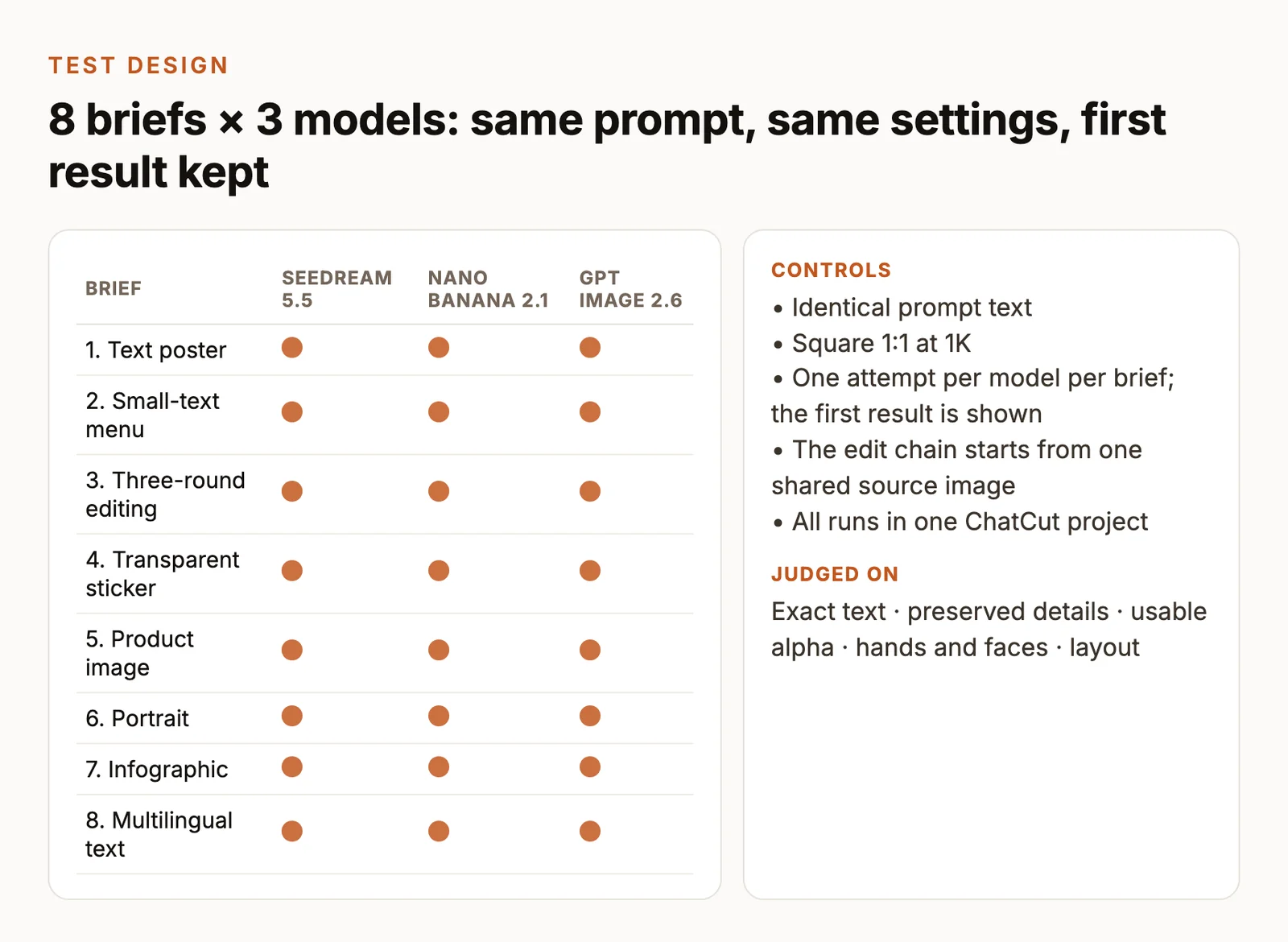
| Control | Shared test setting |
|---|---|
| Planned versions | Seedream 5.5, Nano Banana 2.1, GPT Image 2.6 Sunburst; Seedream outputs are not yet shown |
| Route | ChatCut for all three |
| Size and composition | Request 1K, 1:1, 1024 × 1024 pixels for every scored image |
| Output count | One image per request |
| Prompt | Copy each card verbatim, including punctuation and quoted text |
| References | Text-only for static tasks. Test 3 starts from the same T05 GPT-generated example file |
| Background | Auto for opaque tasks, transparent requested for T04 |
| Optional controls | Keep shared controls identical. Record each route’s quality, complexity, prompt enhancement and grounding settings |
| Edit context | Attach only the previous image and the current round’s instruction |
| Review | Compare native-size files with model labels hidden, then reveal the model names |
Settings record The saved ChatCut requests use nano-banana-2.1 with complexity high and gpt-image-2.6-sunburst with quality high; both request 1K and 1:1. The delivered square files are 1024 × 1024 for Nano Banana and 1056 × 1056 for GPT Image. The Seedream-labelled examples were generated with gpt-image-2.6-flare, quality high, and are also 1056 × 1056. These controls and returned dimensions are not identical. A verified generation timestamp and timezone, prompt-enhancement setting and grounding setting are not available in the reviewed record; this is a visual comparison, not a fully matched benchmark.
Seedream controls in ChatCut Pick Seedream 5.5 in the model menu; the available size, ratio and credit cost are shown before you generate. Check the current output options for transparency, then inspect the downloaded original rather than assuming a file has alpha from its preview.
The table states the requested test conditions. Read back the actual dimensions and settings for every output before filling a matched-setting verdict. Record unavailable controls explicitly. Quality and reasoning labels can differ between providers, so include their effective values with the results.
Retain original files, exact requests, job IDs, timestamps, billed credits and failed-request details. Save a failed request before any transport retry and record the retry separately. Use the initial scheduled output for the image slots, including an unattractive result. An interrupted edit chain retains its completed rounds and records the first failed round.
For text tasks, count exact fields against the quoted strings, with Unicode NFC normalization. Check case, punctuation, prices and accents. The menu has twelve fields, the infographic ten and the multilingual notice six. Inspect at native size and have fluent readers check the non-English lines.
Review each task on three dimensions from 0 to 3 — brief accuracy, preservation or structure, and visual finish. A score of 0 means the requirement is missing, 1 needs substantial repair, 2 has a minor defect and 3 meets the brief. The observations below give editorial scores for the two actual comparison models; the Seedream examples are not scored. Use the highest total only after the required checks pass; a closer visual match can still fail a strict check. Report a tie for equal totals and “no usable result” when every output fails a required check. These conclusions describe this set of briefs and its recorded attempts.
ByteDance released Seedream 5.5 on November 9, 2026, highlighting stable successive edits, native RGBA assets, realism and small text. Those official claims determine which tasks we examine here. ByteDance’s announcement.
The layout borrows fal’s paired-output approach, and the revision test follows Atlas Cloud’s practice of feeding one round’s output into the next. Their published comparisons use their own routes, versions and settings. fal’s same-prompt comparison, Atlas Cloud’s chained test.
Test 1 — Exact-text poster
An event poster needs the right date and venue as well as a strong headline. T01 checks four specified text fields and their hierarchy.
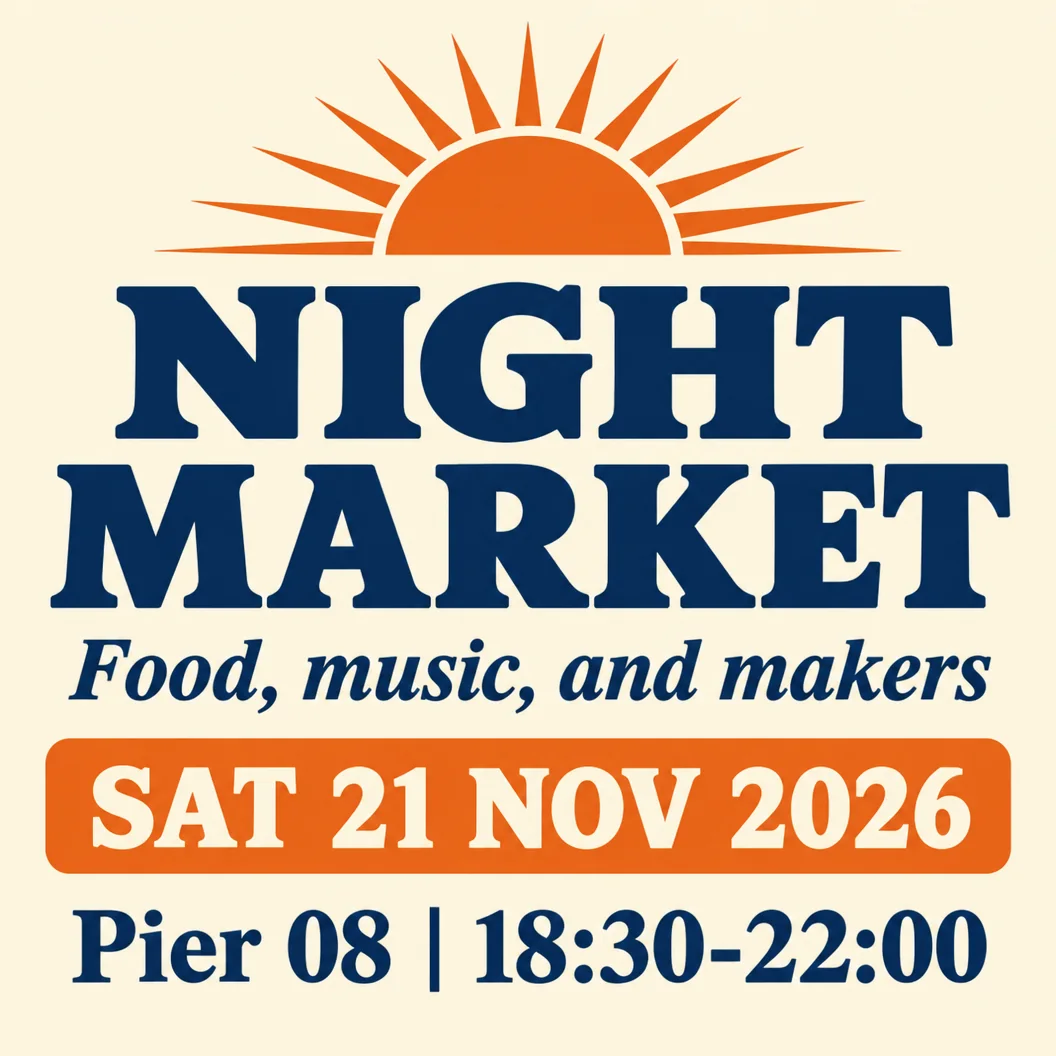
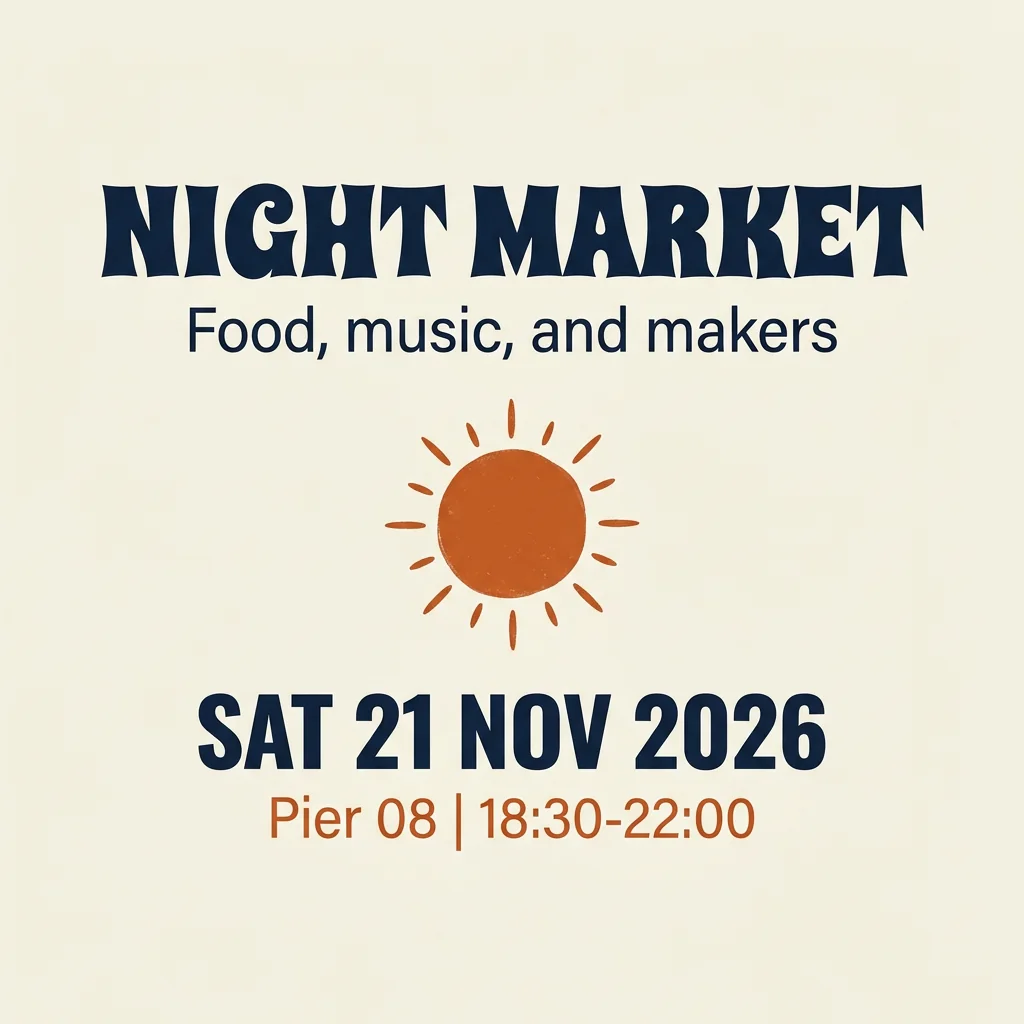
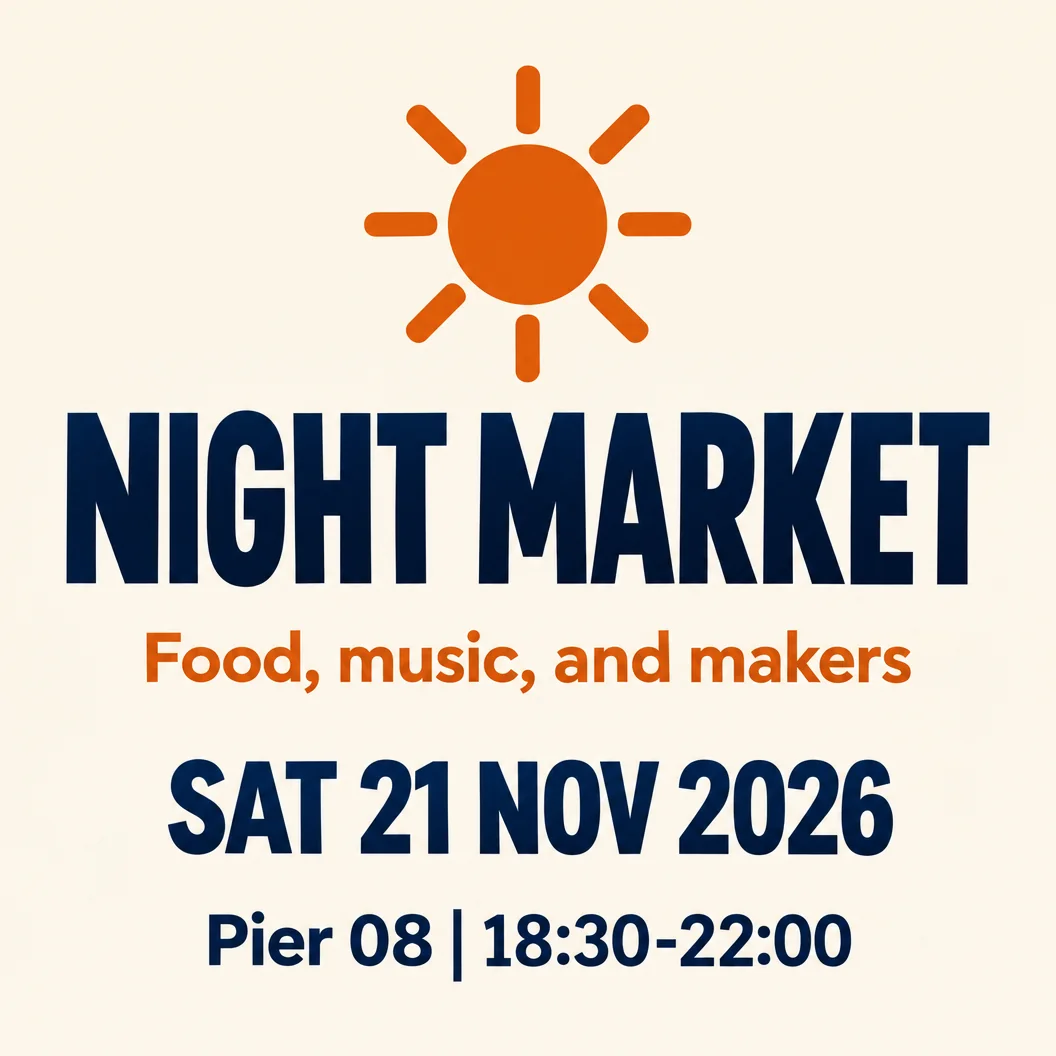
Check Compare all four quoted fields character by character. Inspect the venue line at native size, confirm every field sits inside the frame and count any extra words.
Observed result Nano Banana and GPT Image each visibly retain 4/4 fields, including the venue and time, with no extra words; Nano Banana leaves more open space around its central sun, while GPT Image uses a taller headline and a larger orange subheading. Editorial scores (brief accuracy / structure / finish) are 3/3/3 for each: a tie. Seedream 5.5 result to be added.
Test 2 — Small-text menu
T02 separates readable headline text from the smaller copy that fills a real menu. Every decimal and item-price association matters.
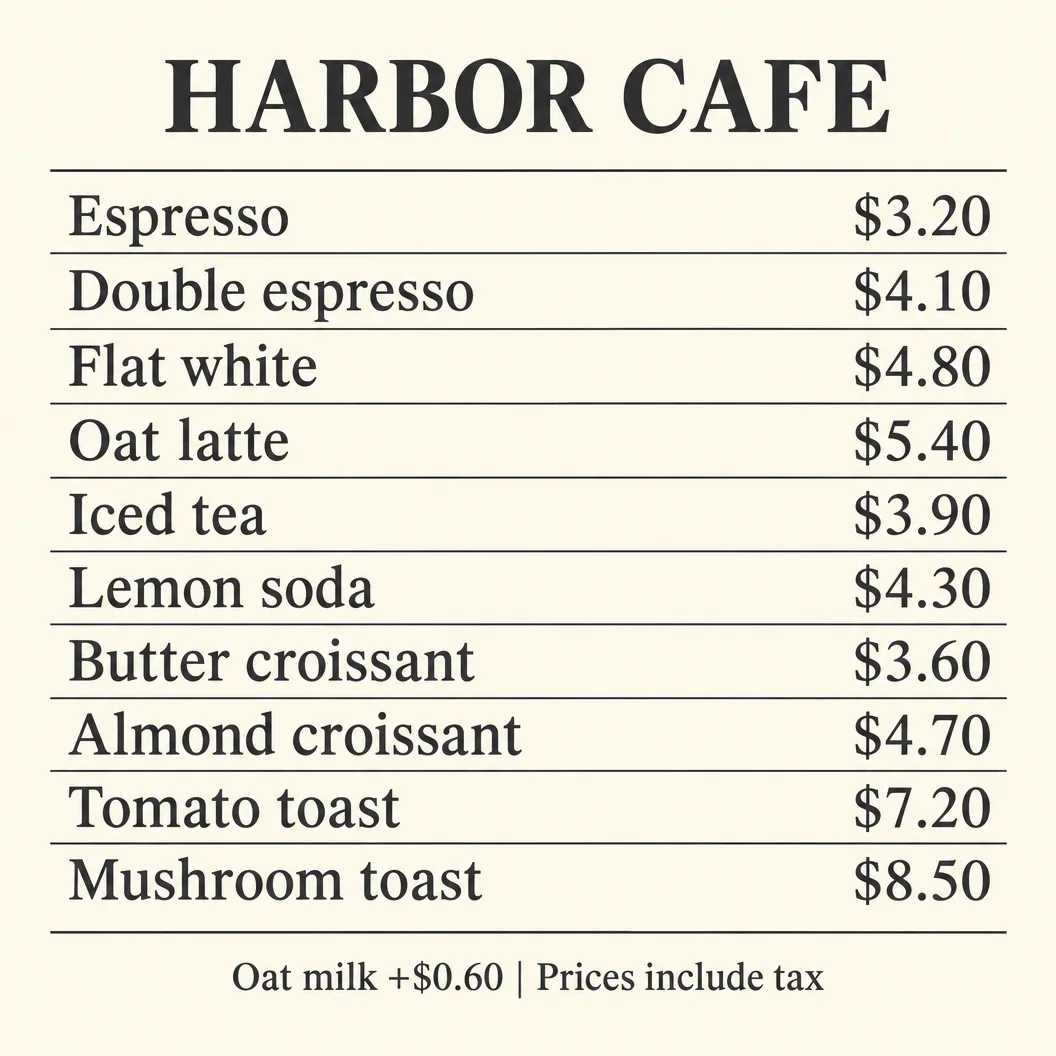
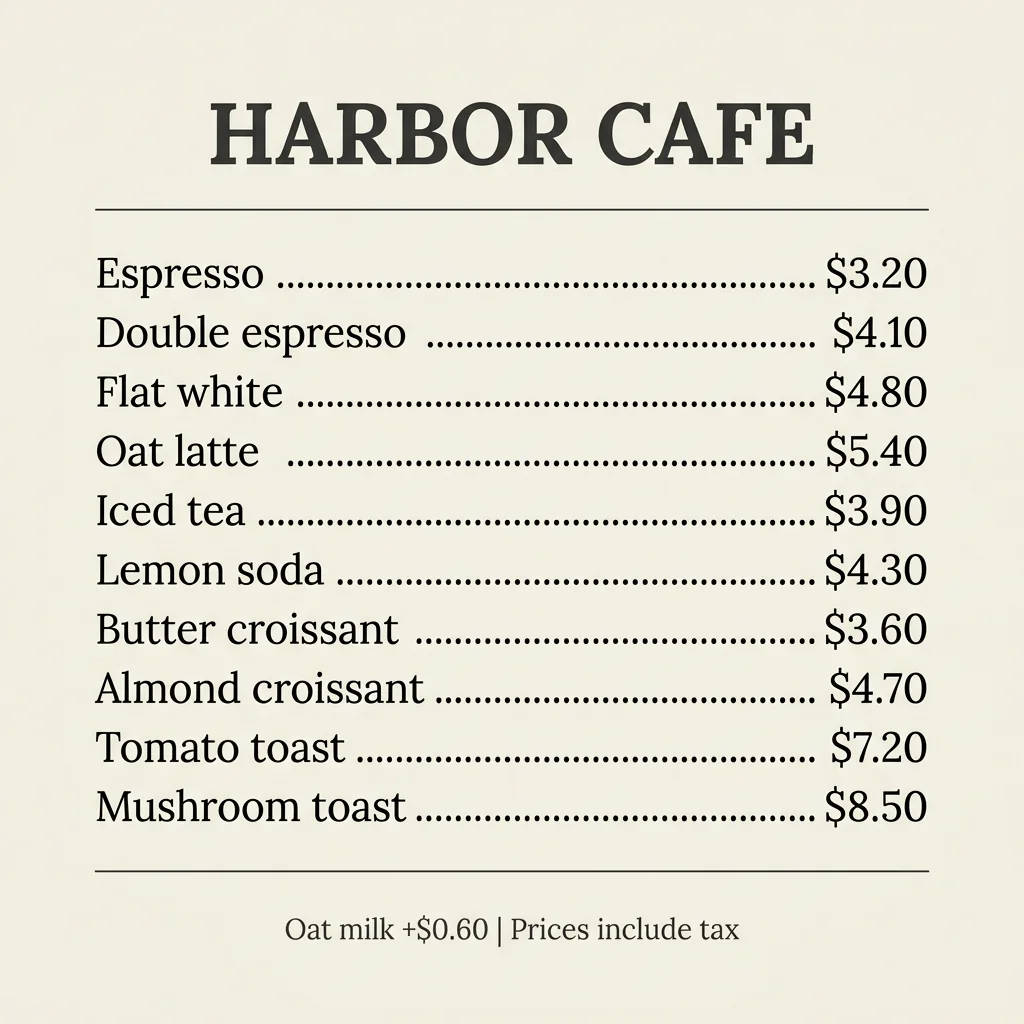
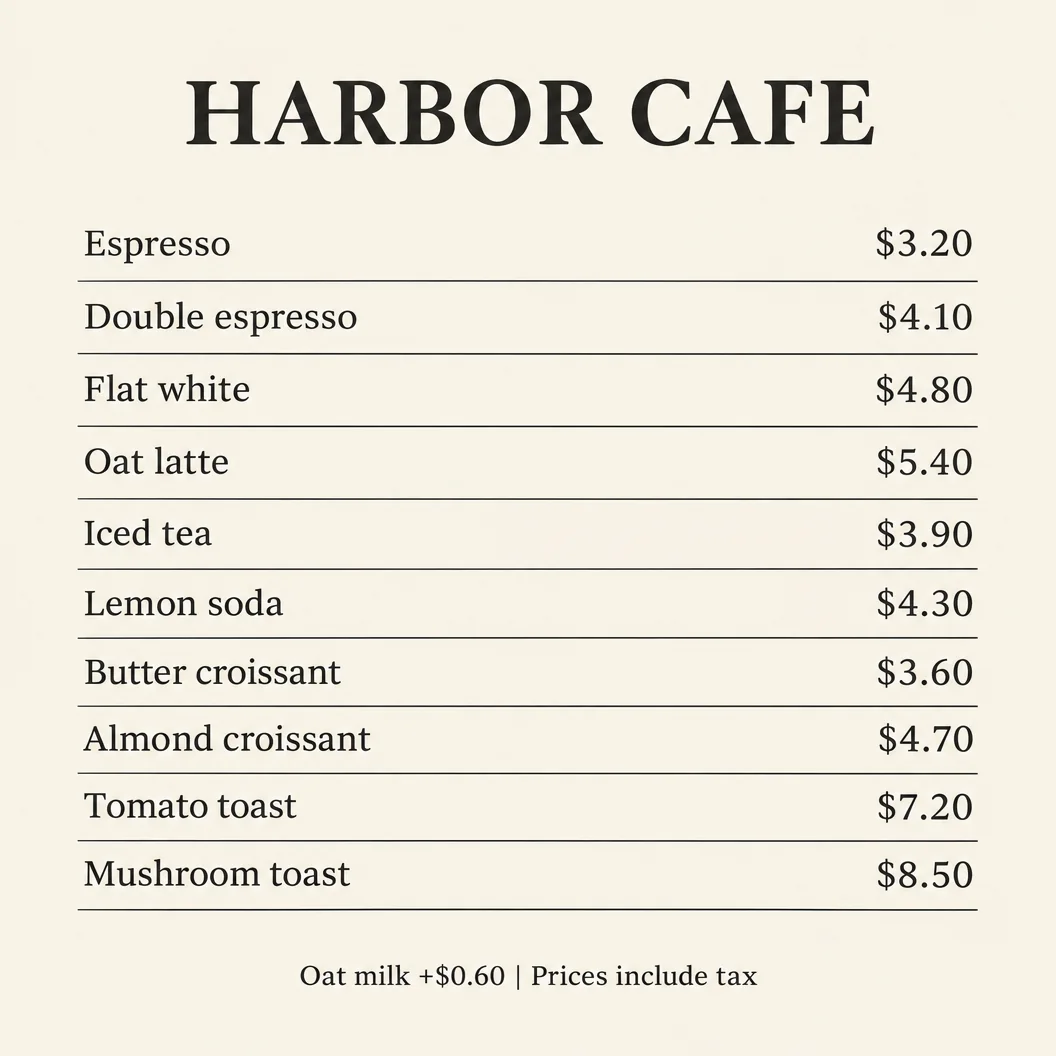
Check Verify twelve fields — title, ten complete rows and footer — plus the ten item-price pairings. Inspect the footer and the longest item names at native size. Record the observed text height because the pixel heights in the prompt are requests.
Observed result Both preserve all ten item-price pairings, including Double espresso at $4.10 and Mushroom toast at $8.50, plus the title and footer. Under the strict character rule, each has 2/12 exact fields: the ten rows omit the requested em dash, using dotted leaders in Nano Banana and aligned columns with thin dividers in GPT Image. Both score 2/2/3 for accuracy / structure / finish; neither passes the exact-copy requirement. Seedream 5.5 result to be added.
Test 3 — Three-round editing
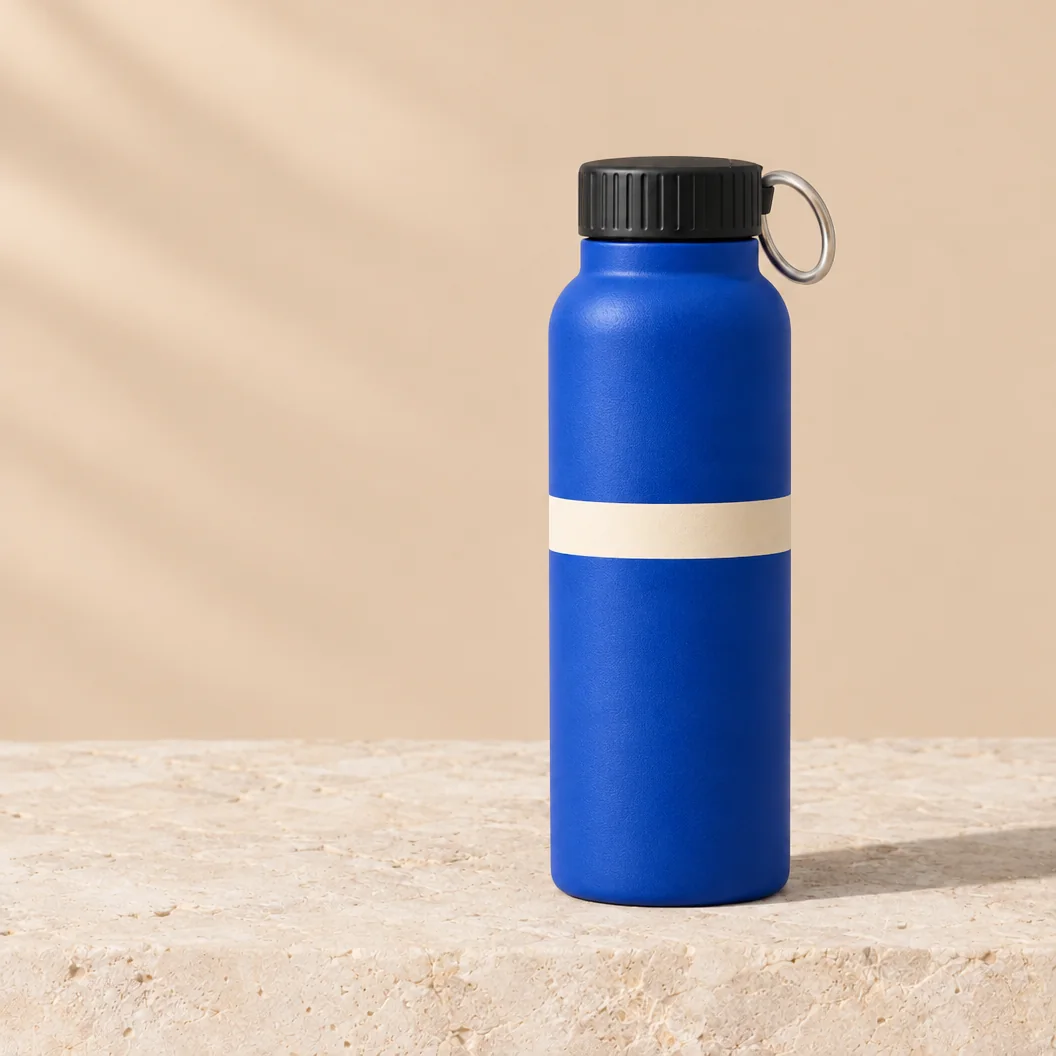
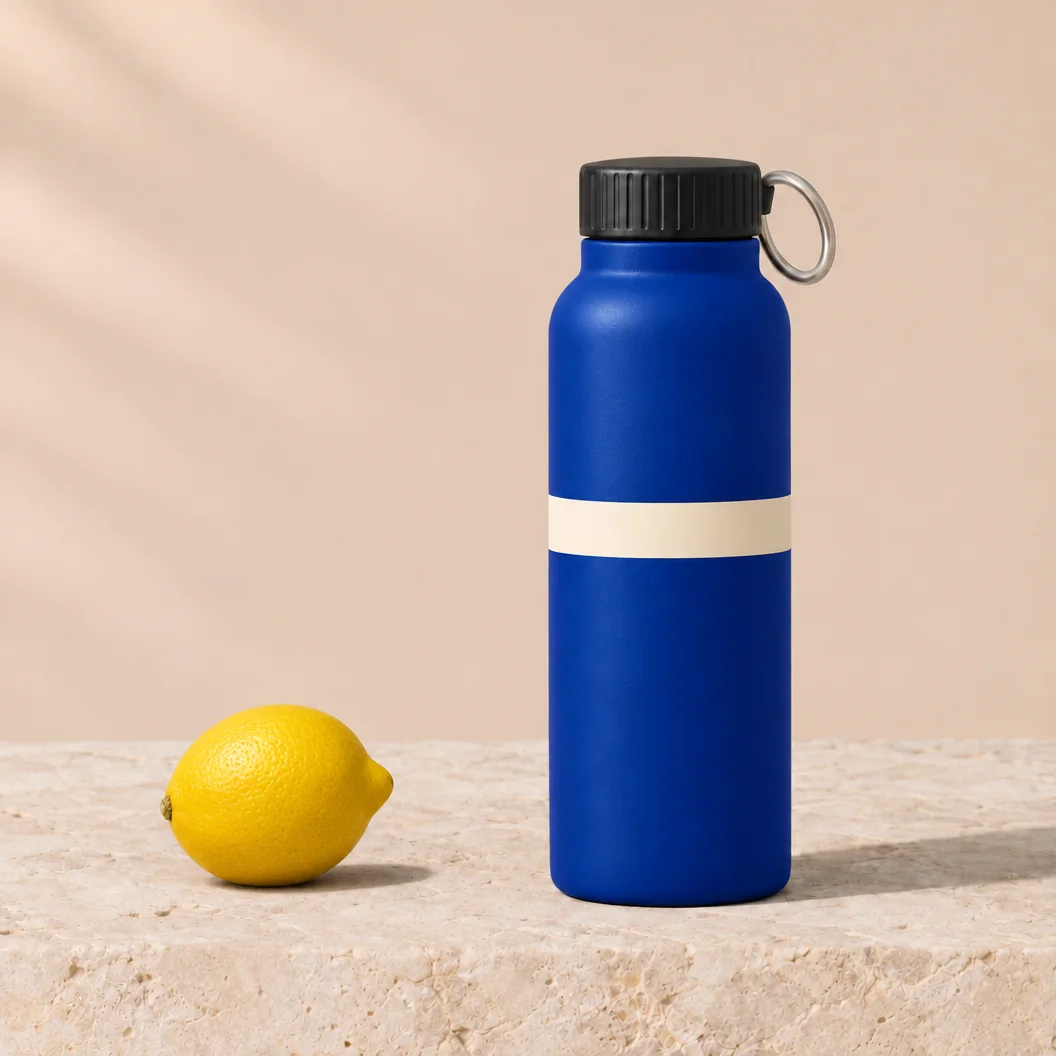
The common source is the GPT Image 2.6 example in the Seedream column of Test 5. Its filename ends in t05-sd for the planned comparison, but it is not a Seedream output. The shared source is visible in the product comparison below. Open the shared source.
This source choice is fixed before review. The editing result is conditional on this GPT-generated source, including its original textures and any defects. From round 2 onward, each model receives its own immediately preceding output. Keep the earlier changes in place as the chain progresses.
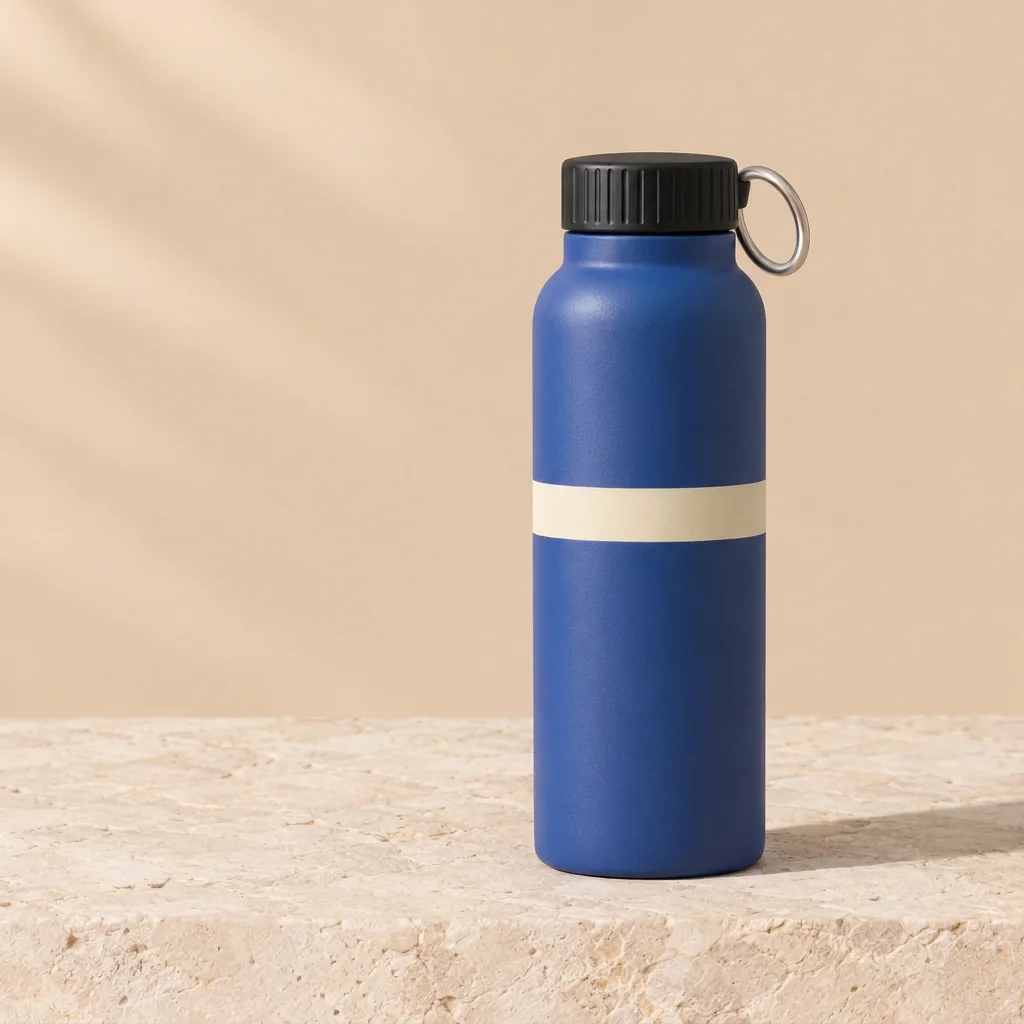
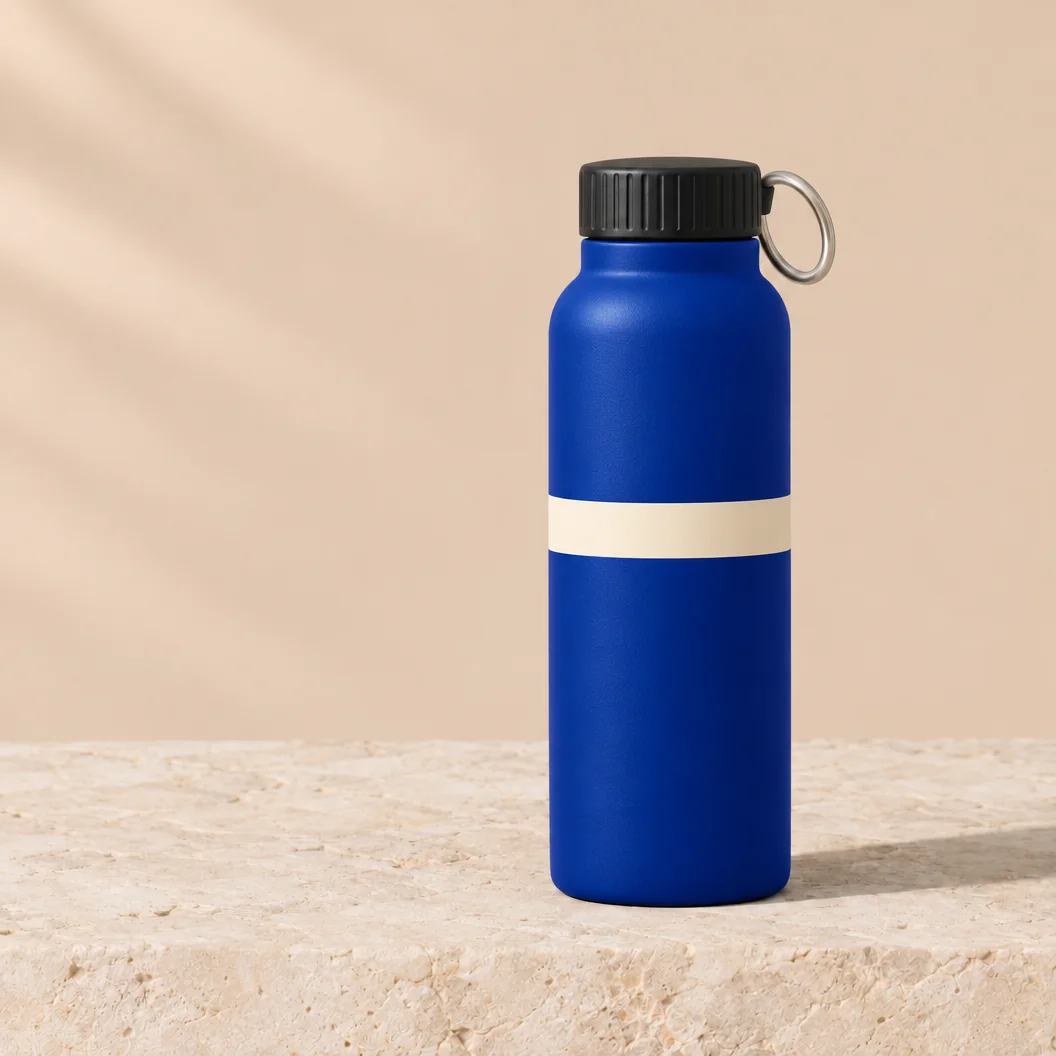
Round 1 — Change the bottle color
Round 2 — Add one lemon
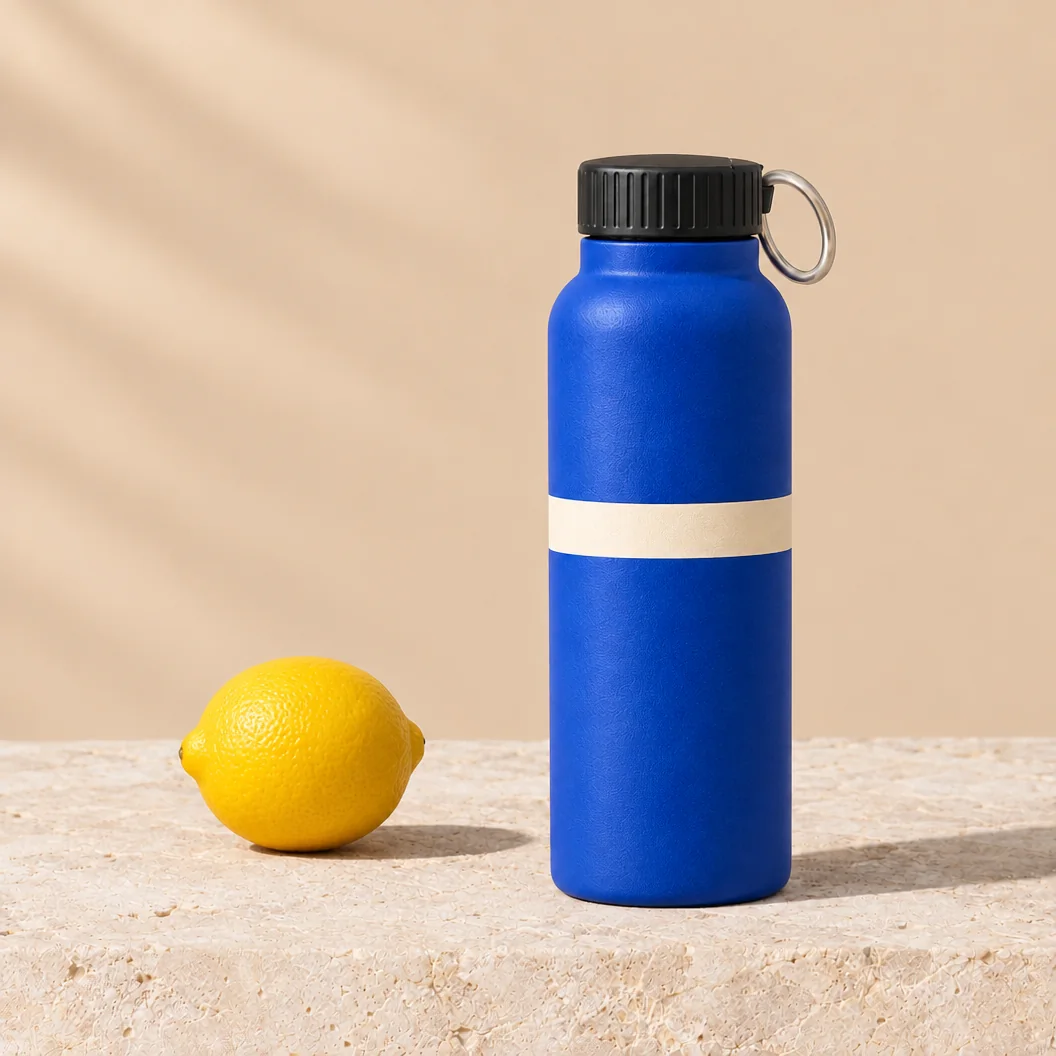
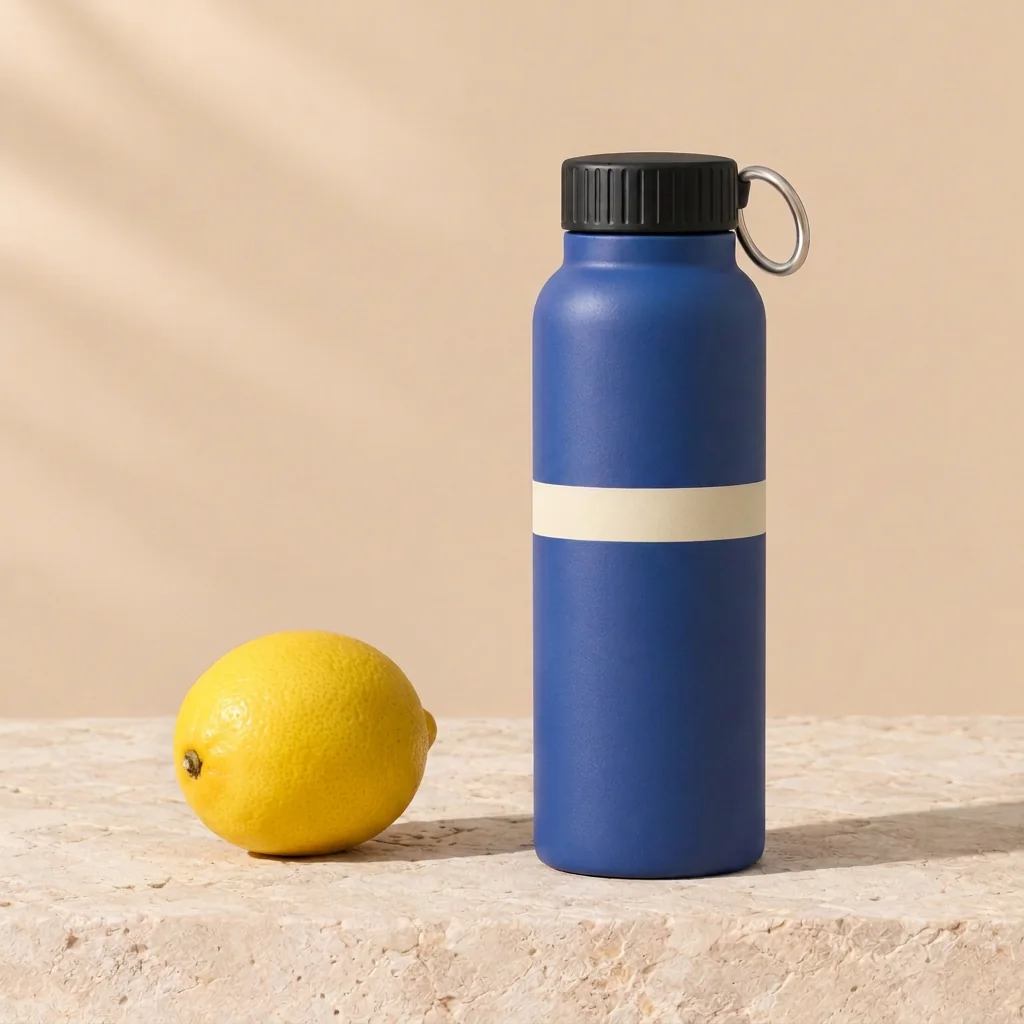
Round 3 — Change the band color
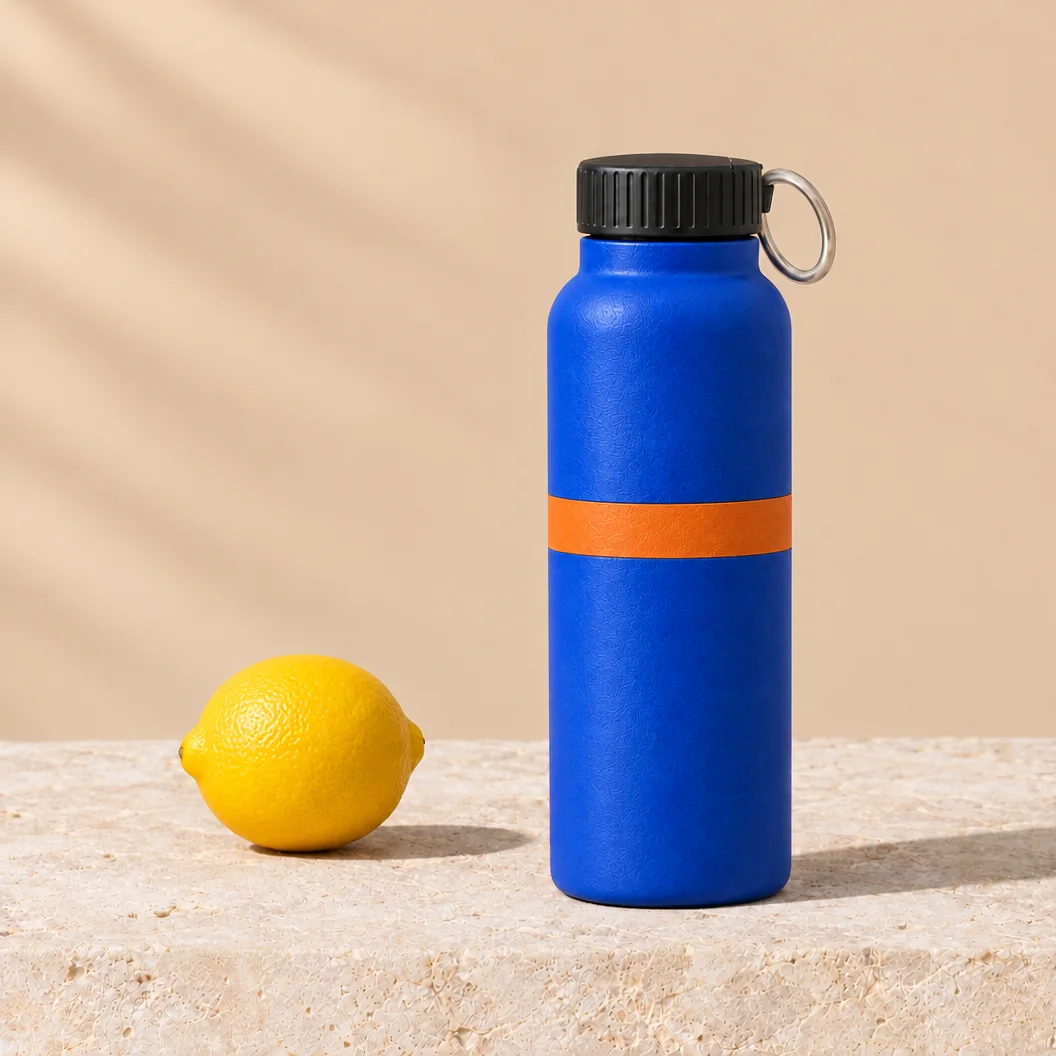
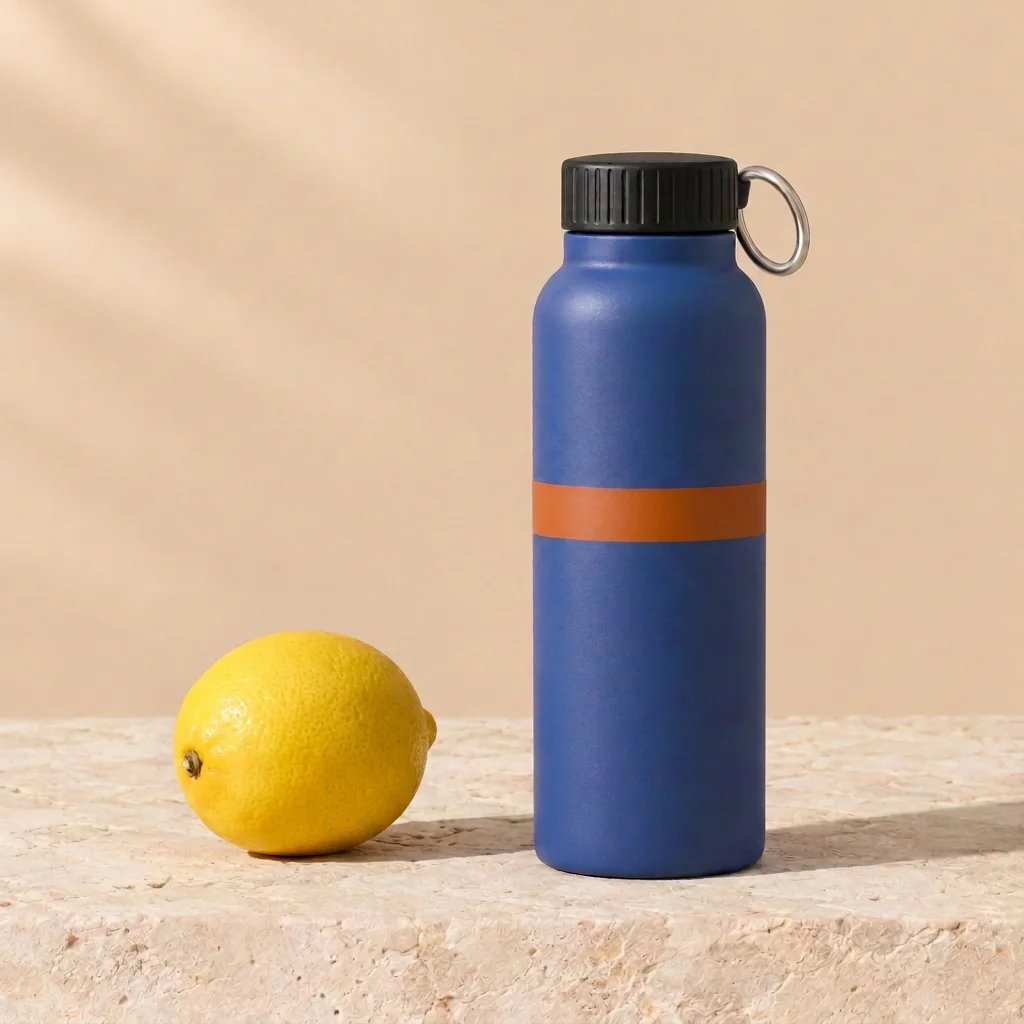
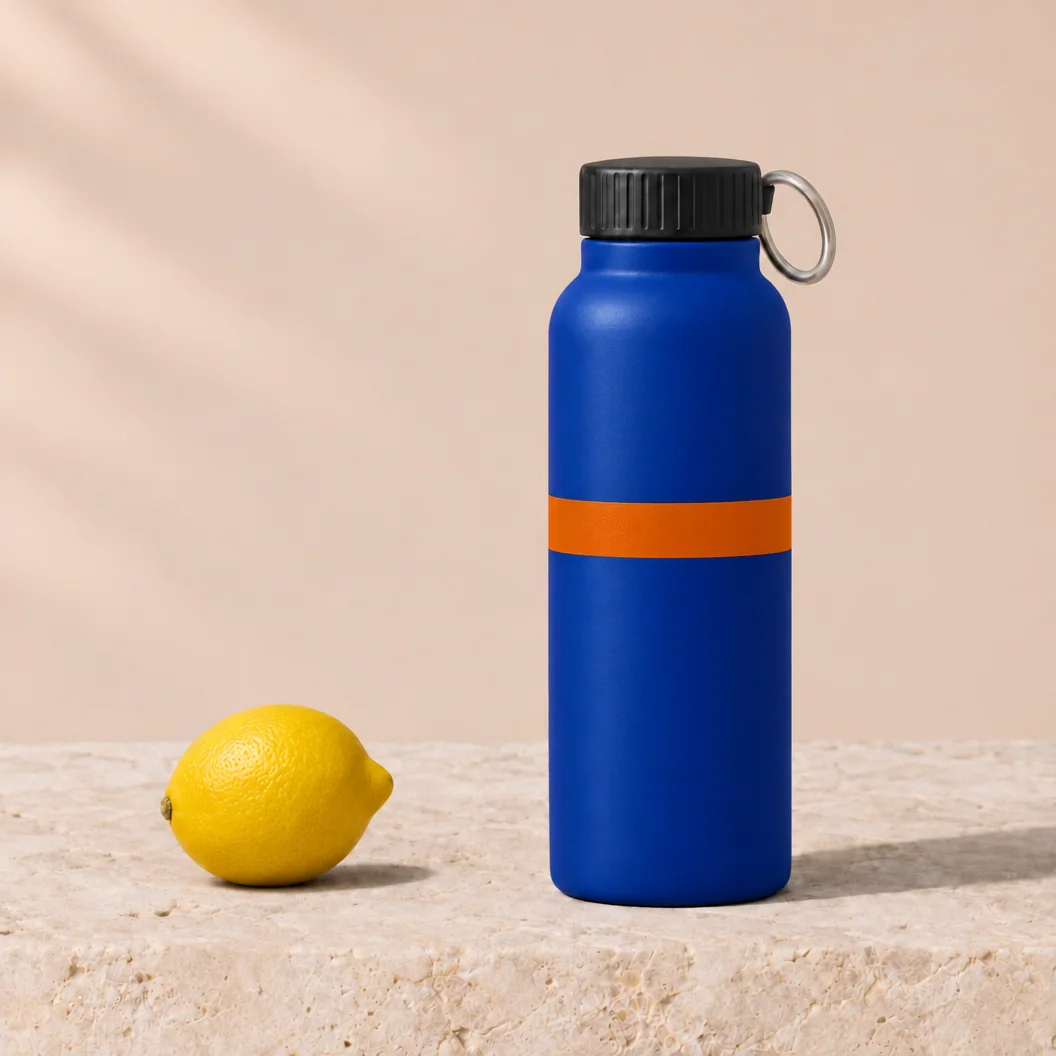
Check Record the requested change as pass or fail after each round. By round 3 the scene should contain a cobalt-blue bottle, black cap, silver loop, burnt-orange band and one yellow lemon. Compare the bottle silhouette, crop, background and limestone texture against both the preceding image and the common source. Keep the same protected-area mask across models, excluding the bottle body, band, lemon placement and their affected contact shadows. Record the protected-area mean absolute RGB difference on a 0–255 scale.
Observed result Both complete the requested changes in rounds 1/2/3: blue body, one separate lemon on the left, then an orange band, with earlier edits retained. Nano Banana already renders a more muted blue and slightly changes the framing in round 1; GPT Image keeps the brighter cobalt and source silhouette more closely, although the stone texture also changes across rounds. Chain scores are 2/2/3 for Nano Banana and 3/2/3 for GPT Image (accuracy / preservation / finish); GPT Image is the closer visual match, not a pixel-preservation pass. No protected-area RGB difference was measured. The common source is a GPT Image 2.6 example, not a Seedream output. Seedream 5.5 result to be added.
Test 4 — Transparent sticker
T04 requests both fully transparent background pixels and partial transparency inside a bubble. Preserve the downloaded original for the alpha check.

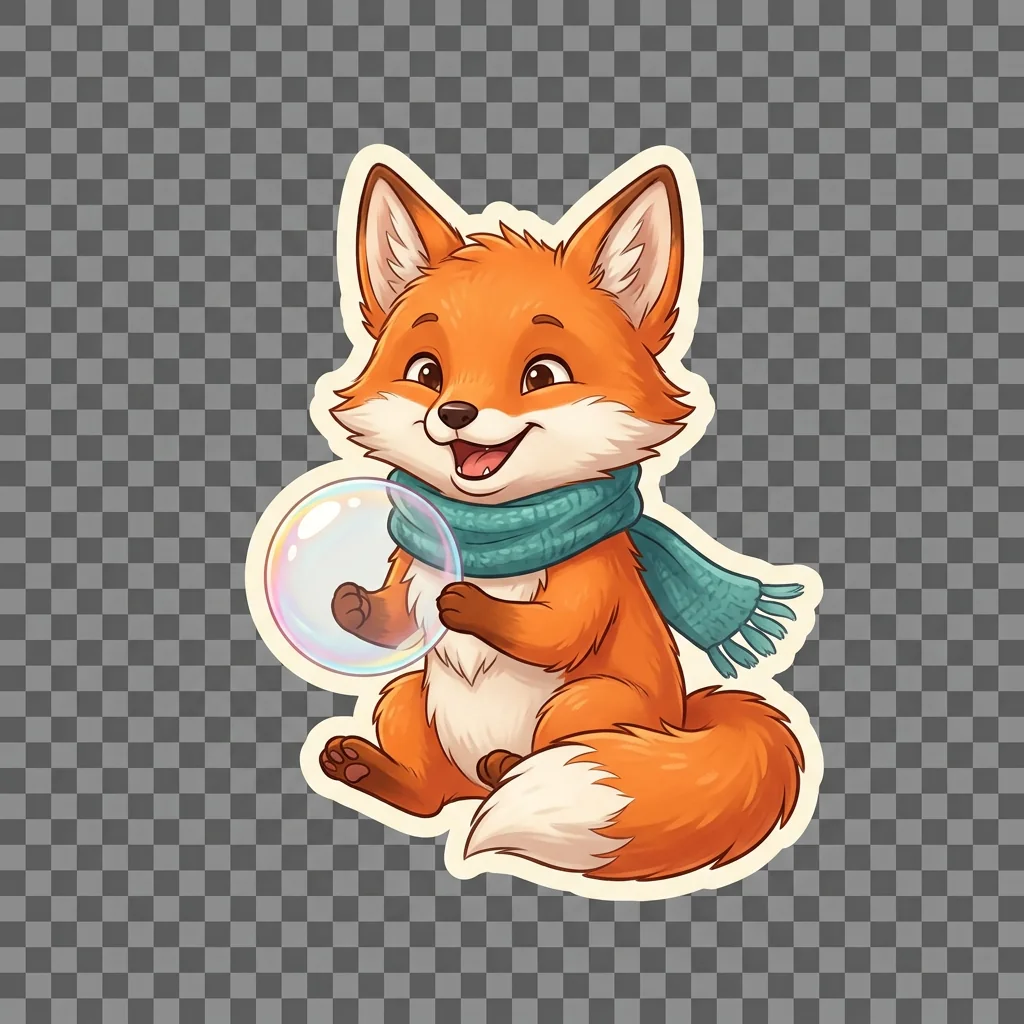
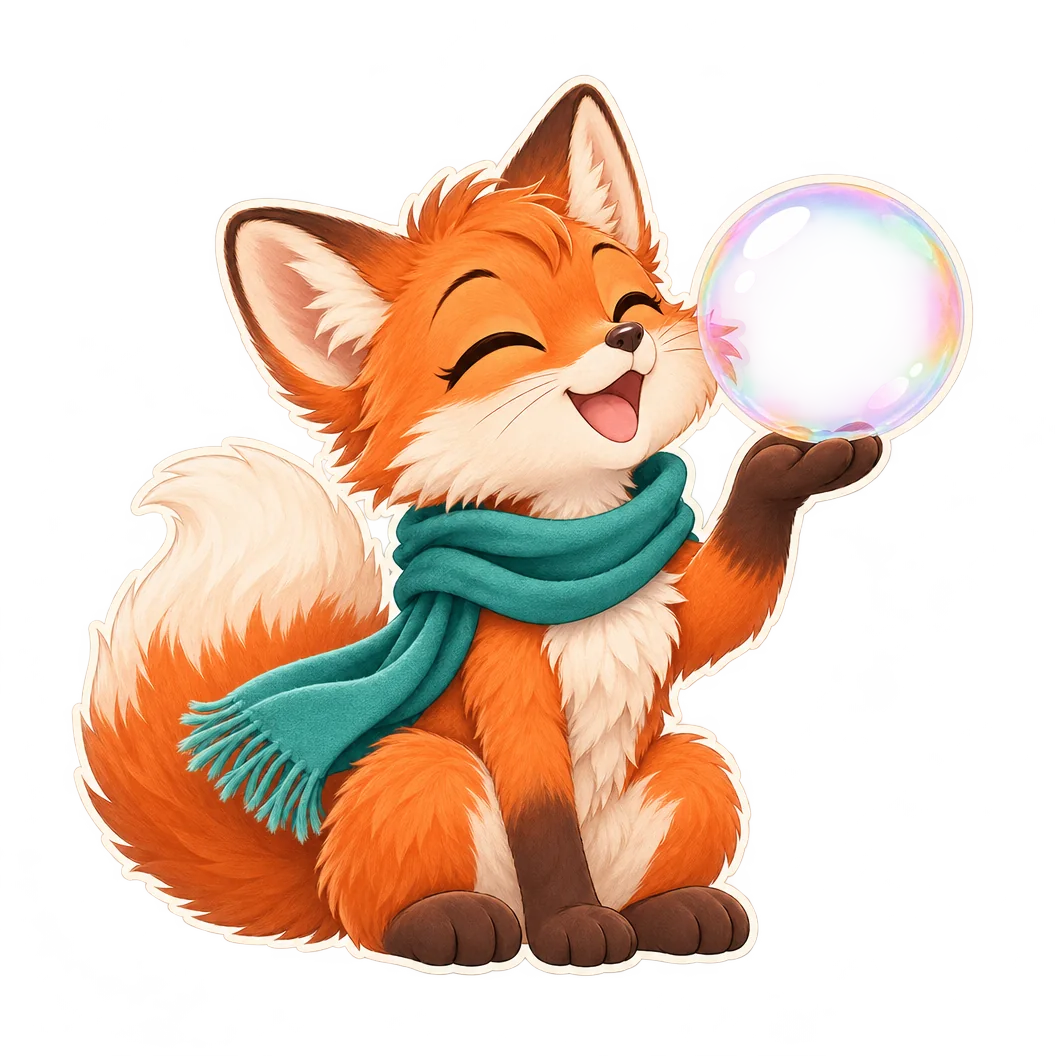
Check Verify an alpha channel in the original file, zero-alpha outer margins and partial alpha inside the bubble. Composite that original over white, black and magenta to inspect the fur, scarf and sticker border. Record the delivered format and any unsupported transparency request alongside the result.
Observed result The original Nano Banana PNG is RGB with no alpha: its checkerboard is part of the image. The GPT Image PNG is RGBA, with zero and partial alpha and a partly transparent bubble interior, but nonzero-alpha pixels remain within the required outer 100-pixel margin, and the displayed asset has conspicuous streaks outside the fox. Nano Banana scores 0/1/2 and GPT Image 1/1/1 (accuracy / structure / finish); neither passes the full usable-sticker brief. These are findings for the supplied files, not proof of a general provider limitation. Seedream 5.5 result to be added.
Test 5 — Product image
T05 asks all three models to invent the same unbranded product from a written specification. The GPT-generated example in its Seedream column supplies the shared source for Test 3.
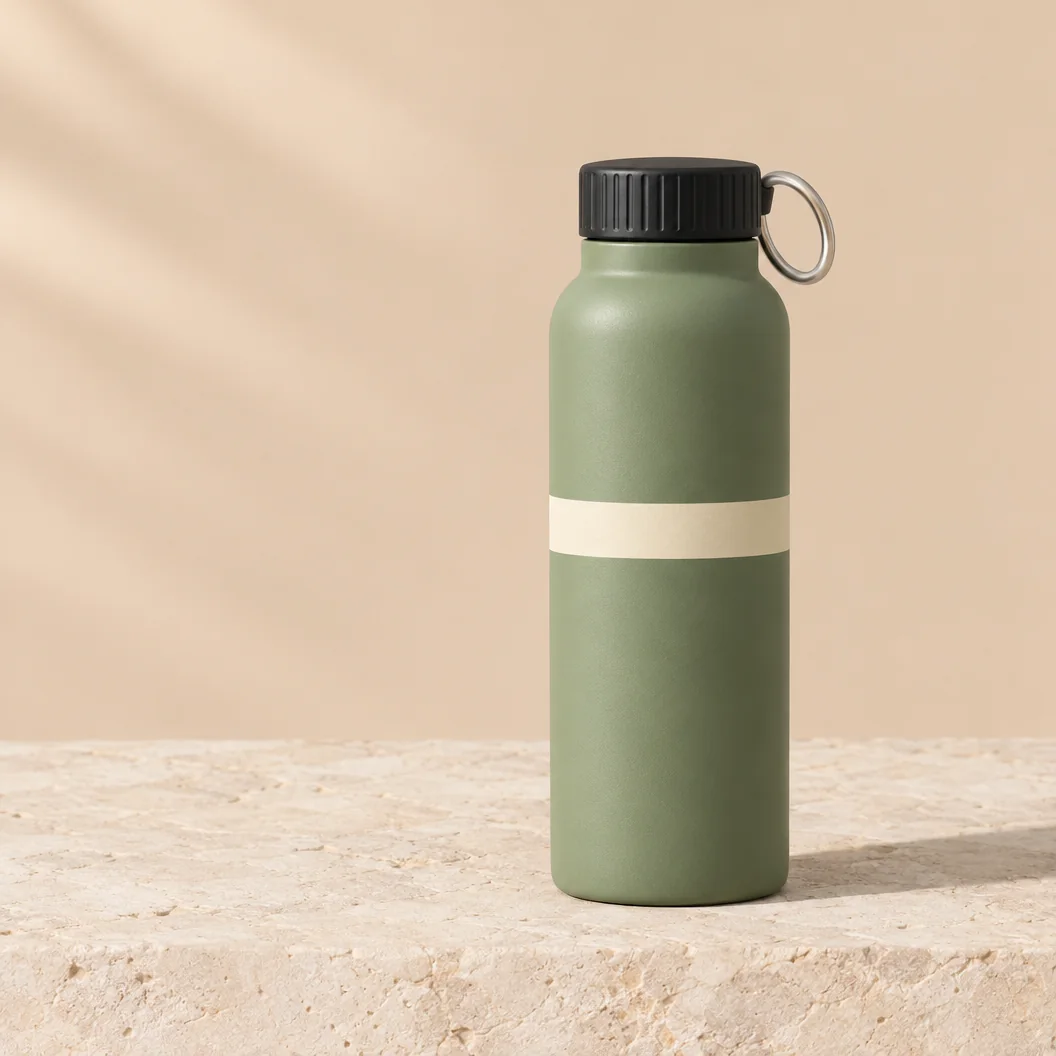
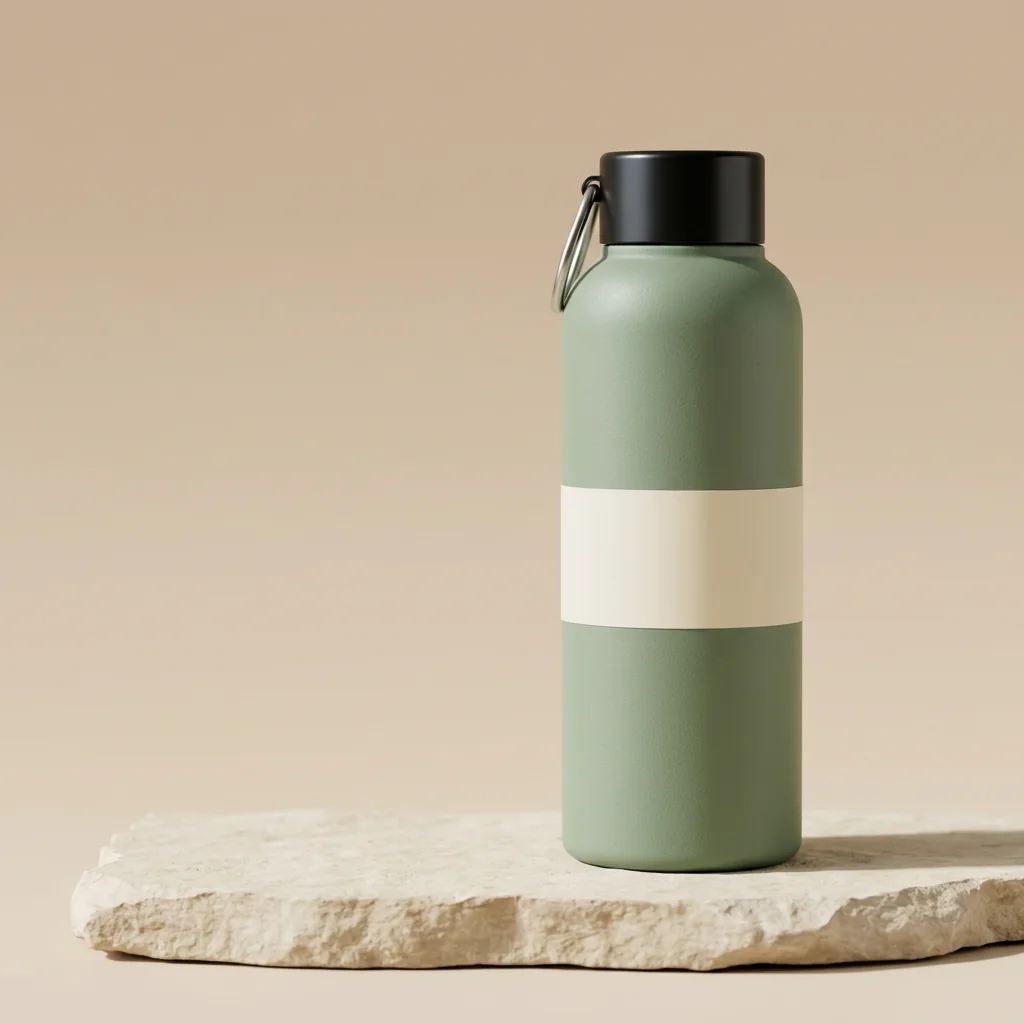
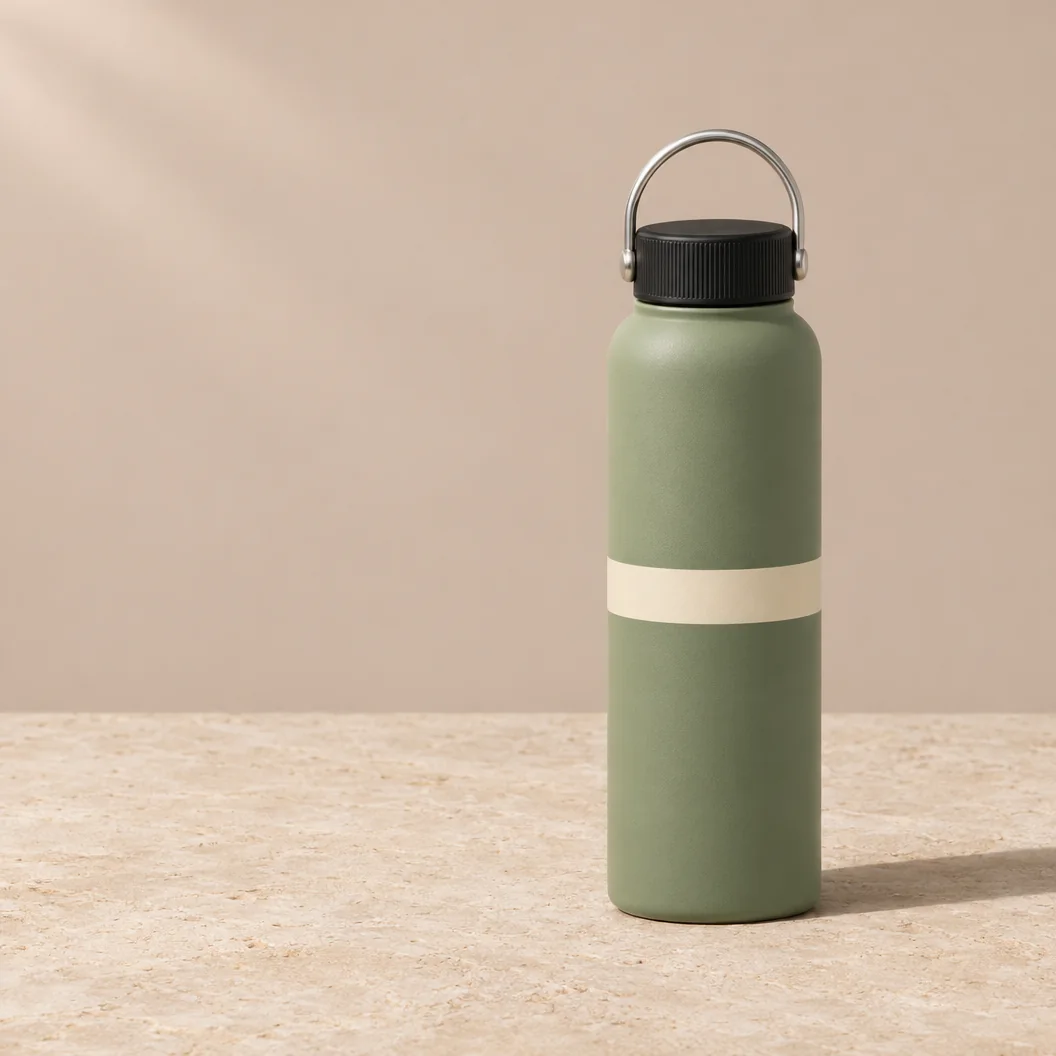
Check Look for one sage-green cylinder, a black screw cap without a spout, a silver loop and one cream band. Inspect the full silhouette, top and bottom margins, matte finish and contact shadow. This task measures adherence to a fictional product brief. Reference-product preservation is examined in the editing chain.
Observed result Both pass the five visible product-feature checks: one sage-green cylinder, one black cap without a spout, a silver loop, one cream band and no branding. Nano Banana uses a broader band and a visible slab edge; GPT Image uses a narrower band and an upright loop above the cap. Both show matte texture, the complete bottle and a rightward contact shadow, earning 3/3/3 for accuracy / structure / finish: a tie on this fictional product brief. Seedream 5.5 result to be added.
Test 6 — Portrait
T06 gives all three models the same age, pose, clothing and lighting brief. Keep the face and both hands visible during review.
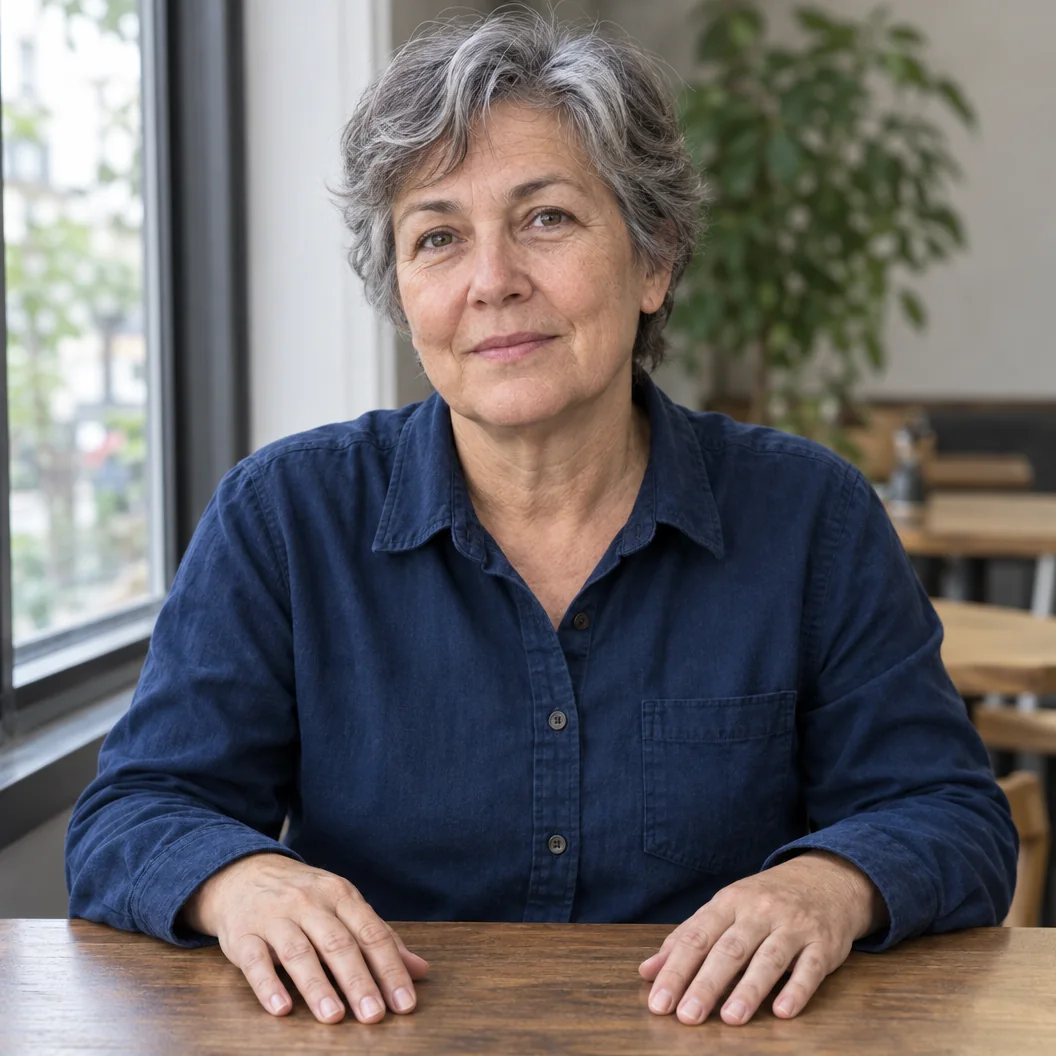
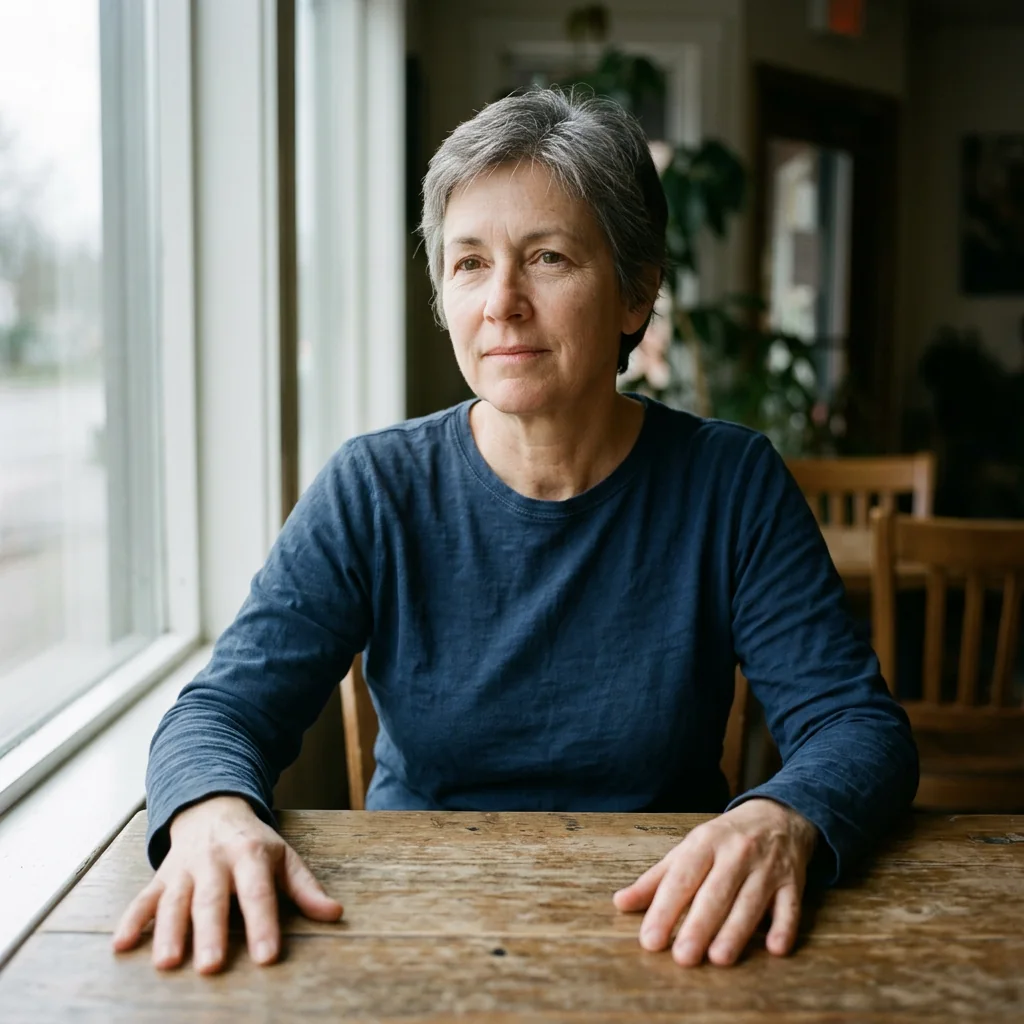
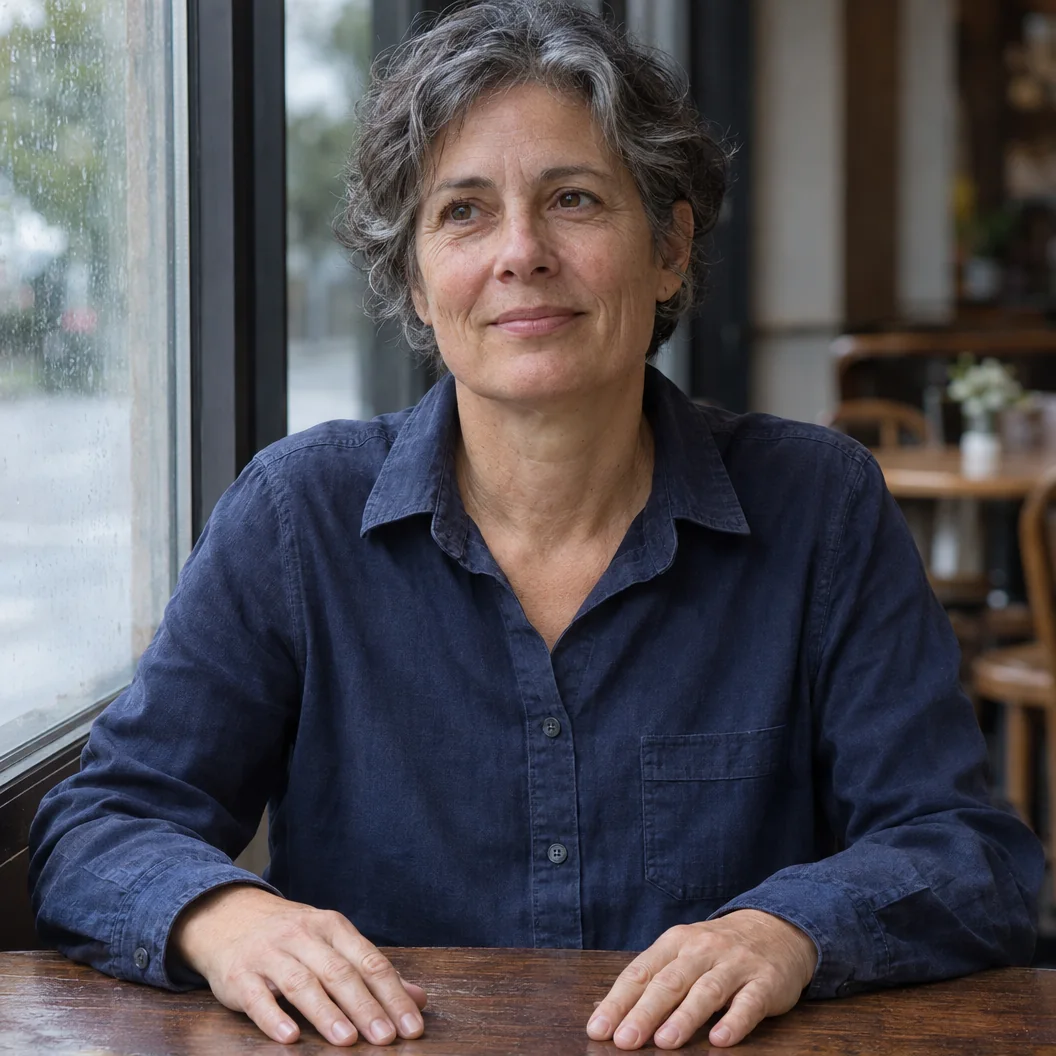
Check Inspect the eyes, skin texture, shirt fabric and direction of window light. Count two coherent hands with five fingers each and check their contact with the table. Assess the requested age and documentary texture in the finished image.
Observed result Both show a short-haired woman in blue beside a left-hand window, with separate hands on the table and coherent-looking eyes. Nano Banana has a wider cafe composition and softer hand detail; GPT Image shows more facial lines and shirt weave, but a thumb is not fully exposed. These previews do not establish ten fully visible, unoccluded fingers in either image, so neither receives an anatomy pass; both score 2/2/3 for accuracy / anatomy / finish. Seedream 5.5 result to be added.
Test 7 — Infographic
T07 tests whether a model can keep headings, captions and icons associated with the correct step. The workflow content is supplied in full.
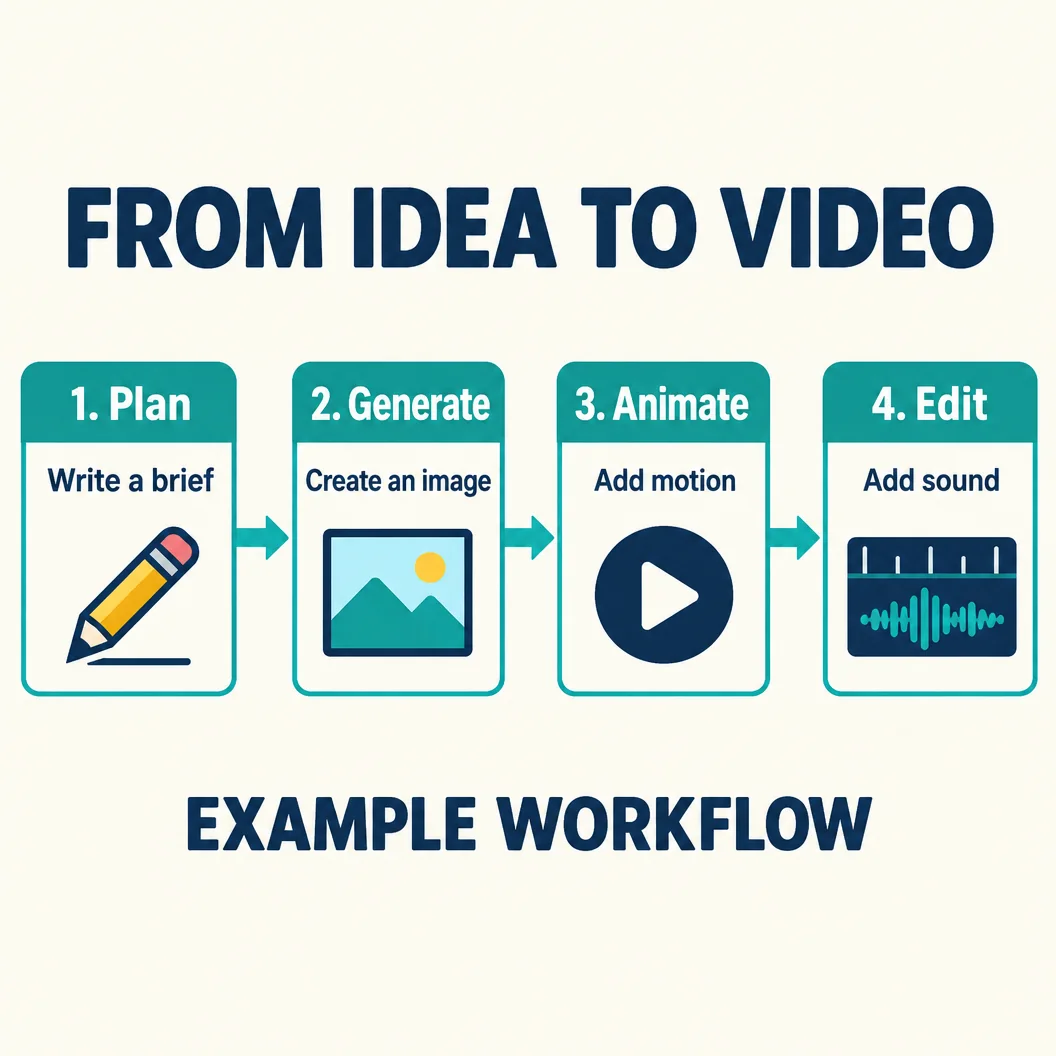
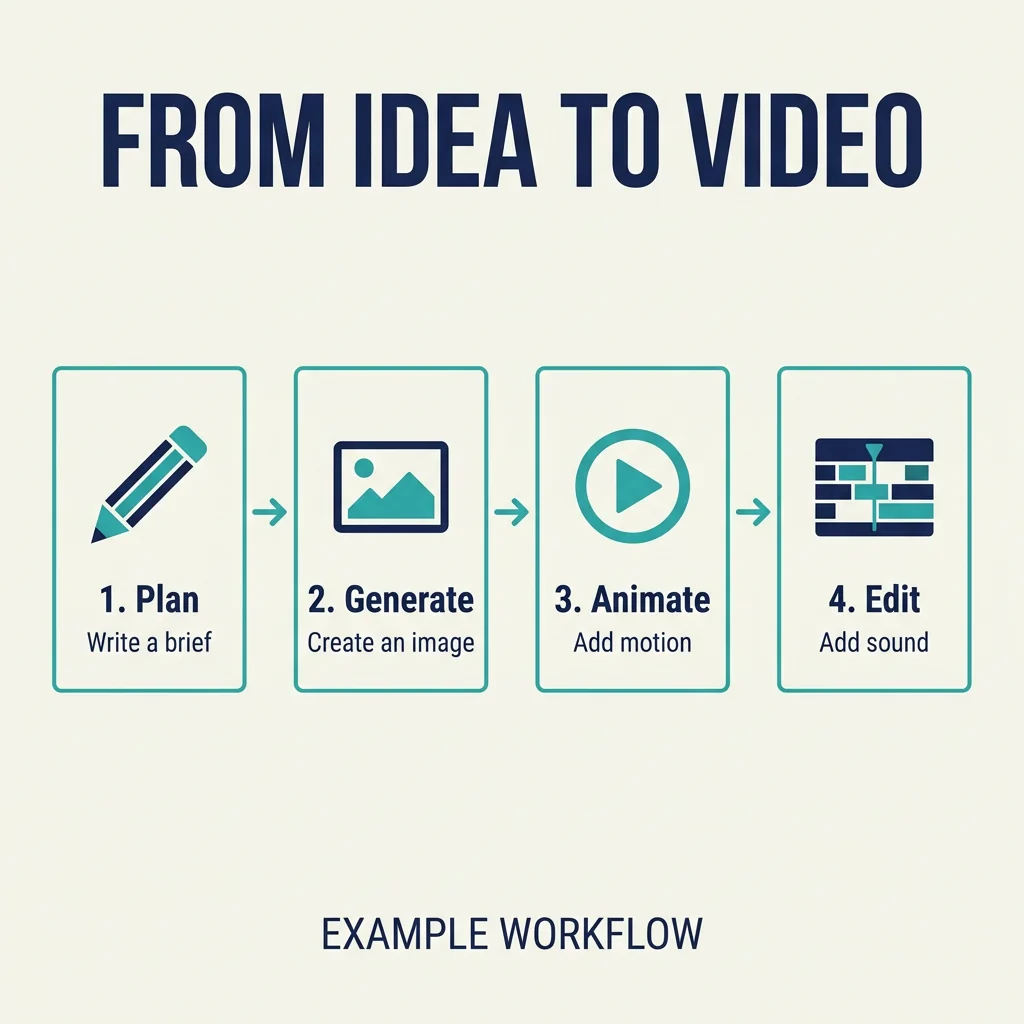
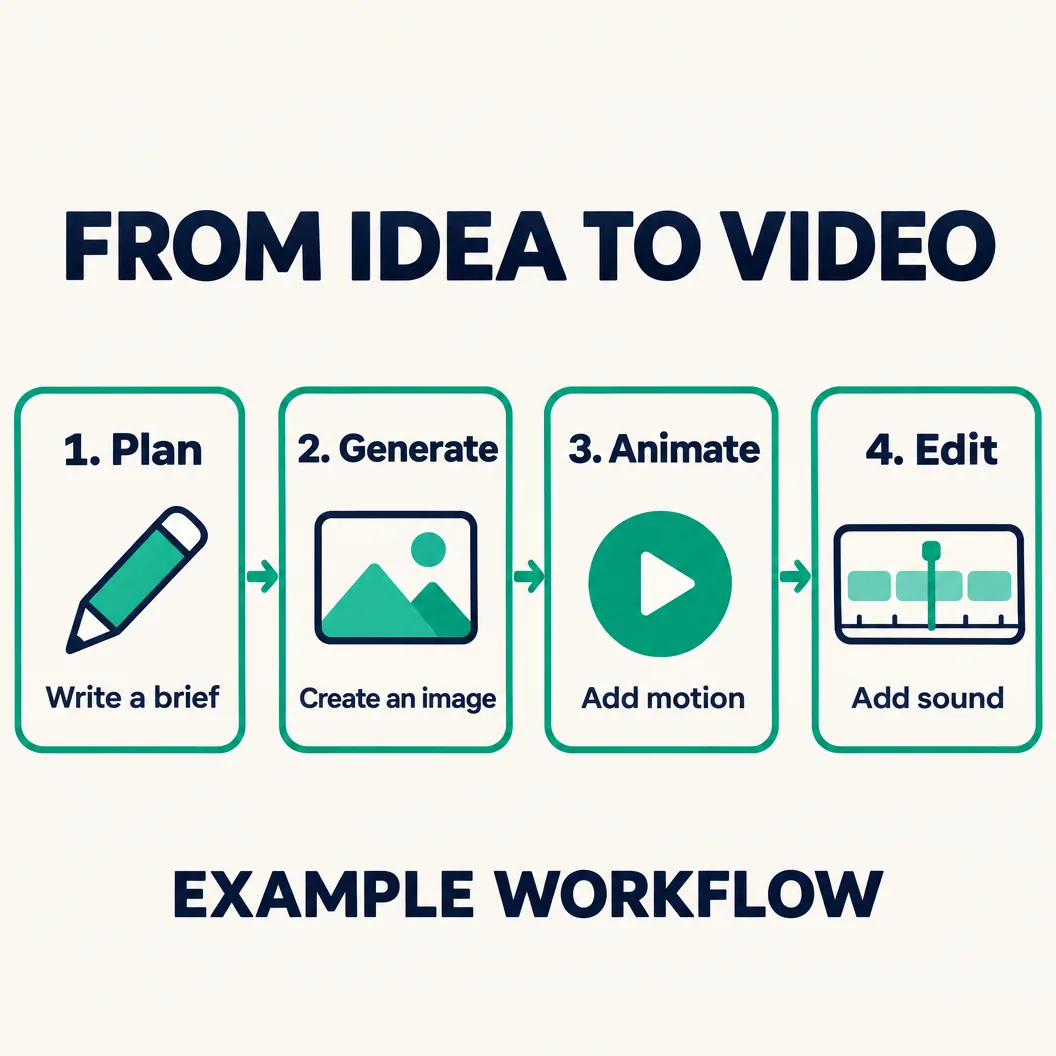
Check Verify ten text fields, four cards, four correct heading-caption-icon associations and three right-pointing arrows. Check order and spacing at native size.
Observed result Both visibly retain 10/10 text fields, the four correct heading-caption-icon associations and all three right-pointing arrows. Nano Banana gives the cards more surrounding space; GPT Image uses much larger headings and captions. Both score 3/3/3 for accuracy / structure / finish, so content correctness is a tie, with GPT Image easier to read at a small display size. Seedream 5.5 result to be added.
Test 8 — Multilingual text
T08 combines simplified Chinese, traditional Chinese, English, Spanish and Japanese with a date line. Each model receives exactly the same characters.

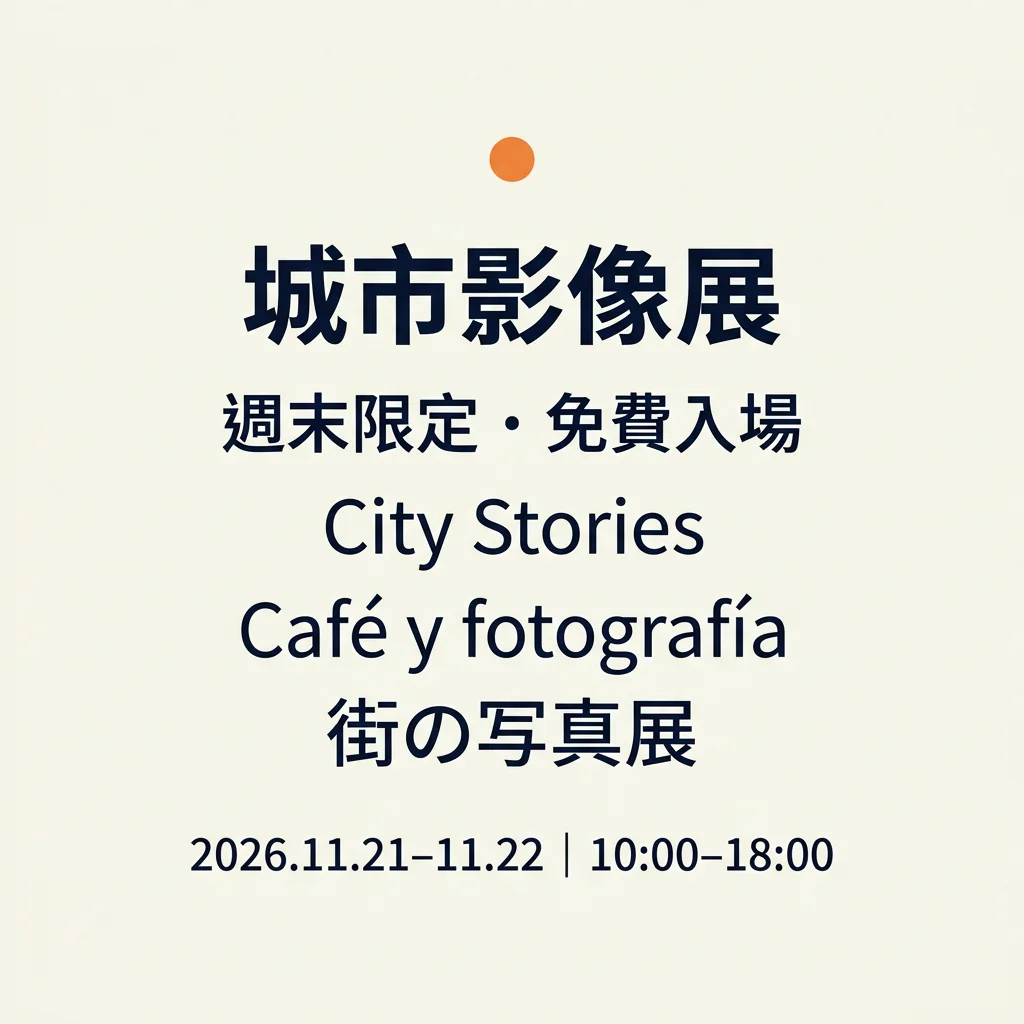

Check Verify all six fields in order. Inspect the traditional Chinese characters, the Japanese line, the accents in “Café y fotografía” and the date punctuation. Record each language’s errors separately so the English line cannot conceal a mistake elsewhere.
Observed result Both visibly preserve the first Chinese title, City Stories, the Spanish accents and the Japanese line: four unambiguous matching fields out of six. The traditional Chinese line uses a round bullet-like separator instead of the requested Japanese middle dot, and the date dashes are not accepted as an exact punctuation match from visual inspection. Both score 2/2/3 for accuracy / structure / finish; neither earns an exact-copy win. This is visual proofreading, not independent fluent-reader sign-off or a Unicode extraction. Seedream 5.5 result to be added.
Which model fits your work?
Seedream vs Nano Banana for text and revisions
Use T01, T02 and T08 for lettering, and inspect the full T03 chain for preservation. A final image can look consistent while an earlier requested change has disappeared.
Seedream 5.5 result to be added. Nano Banana retains the poster fields and menu price associations, but its menu omits the requested em dashes. Its three edit rounds retain the lemon and orange band; the body becomes a more muted blue than requested. The GPT-generated examples in the Seedream column cannot establish a Seedream comparison.
Seedream vs GPT Image for transparent assets and product work
Use the native-file checks in T04 and the product specification in T05. Keep the source-file limitation from T03 attached to any editing recommendation.
Seedream 5.5 result to be added. GPT Image follows the product specification and preserves the three requested edit changes, but its supplied sticker has stray pixels outside the intended silhouette and fails the full transparent-margin brief. Native RGBA performance for Seedream is not established by these examples.
Nano Banana vs GPT Image for portraits and information design
Compare T06 at native size, then inspect T07’s labels and connections. The decision can differ between an editorial portrait and a diagram with exact copy.
Both models preserve the infographic wording, card associations and arrow direction; GPT Image makes the labels larger. For portraits, GPT Image shows more skin and fabric detail, while Nano Banana includes more of the cafe. Neither portrait establishes the strict all-fingers-visible requirement, and neither multilingual notice is accepted as exact punctuation-ready copy.
Time and credits at the tested settings
Record submission-to-downloadable-image time for T01 and the total time for the three-edit chain. Keep the invoice or Credits history record with the request log. Editorial review date — November 12, 2026; billing and timing not verified. Read the current model quote and plan requirements before generating. ChatCut pricing, GPT Image 2.6 settings.
| Model | T01 elapsed time | Full three-edit chain | Credits at the recorded settings |
|---|---|---|---|
| Seedream 5.5 | Not measured; no Seedream run shown | Not measured; no Seedream run shown | Check the model quote before generating; generation, transparency and editing may have different settings |
| Nano Banana 2.1 | Not recorded | Not recorded | Billed credits not verified; check the quote and Credits history |
| GPT Image 2.6 Sunburst | Not recorded | Not recorded | Billed credits not verified; check the quote and Credits history |
Include charged failures and retries when calculating cost per usable image. For editing, divide the chain’s total charge by usable completed chains and label the unit clearly.
Use the same prompts in ChatCut
Seedream 5.5 is available in ChatCut alongside Nano Banana 2.1 and GPT Image 2.6. Choose the exact model, paste a prompt above and keep the generated image in your project. The settings that need confirmation for Seedream are listed in the method section. Seedream 5.5, GPT Image 2.6, image-generation guide.
Place a generated still on the timeline, or use it as a first frame with Kling 4.0 or Seedance 2.5. Then add captions, voiceover and music and export from the same project. Kling 4.0, Seedance 2.5, image-to-video workflow.
For more briefs, use the Seedream, GPT Image and Nano Banana prompt collections. Seedream 5.5 prompts, GPT Image prompts, Nano Banana prompts.
For version background and broader choices, read the release guide, series overview and previous-version comparison. Seedream 5.5 guide, Seedream series, Seedream 5.5 vs 5.0 Pro. Access and wider model selection have their own guides. Seedream free access, best AI image generators.
Frequently asked questions
Seedream vs Nano Banana — which is better?
Is Seedream 5.5 better than GPT Image 2.6?
What is better, GPT Image 2 or Nano Banana?
Which one is better, Nano Banana or ChatGPT?
Which Nano Banana is best for image generation?
Which AI image generator is the best in 2026?
Is GPT Image 2 slow?
Can Seedream 5.5 generate transparent PNGs?
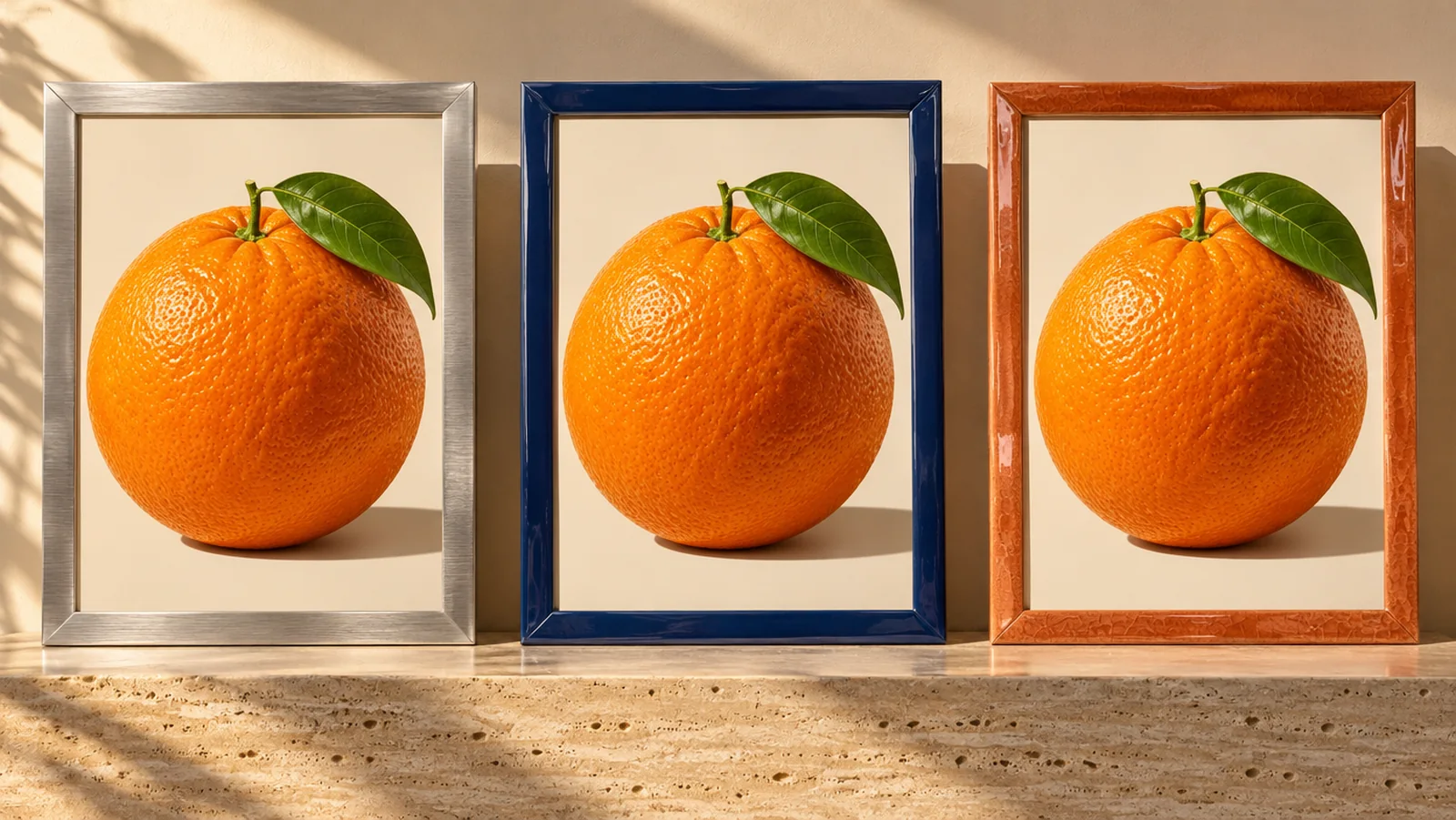
Cover artwork prompt
The cover is a separate example generated with GPT Image 2.6, showing silver, navy and terracotta frames around oranges. The prompt requests 16:9; the current cover file is 1201 × 901. It is not a Seedream 5.5 output.